Backup and Snapshot Schedules
Schedules create backups of virtual machines and snapshots of volumes automatically on a recurring basis, and delete old copies according to the retention policy.
Viewing Schedules
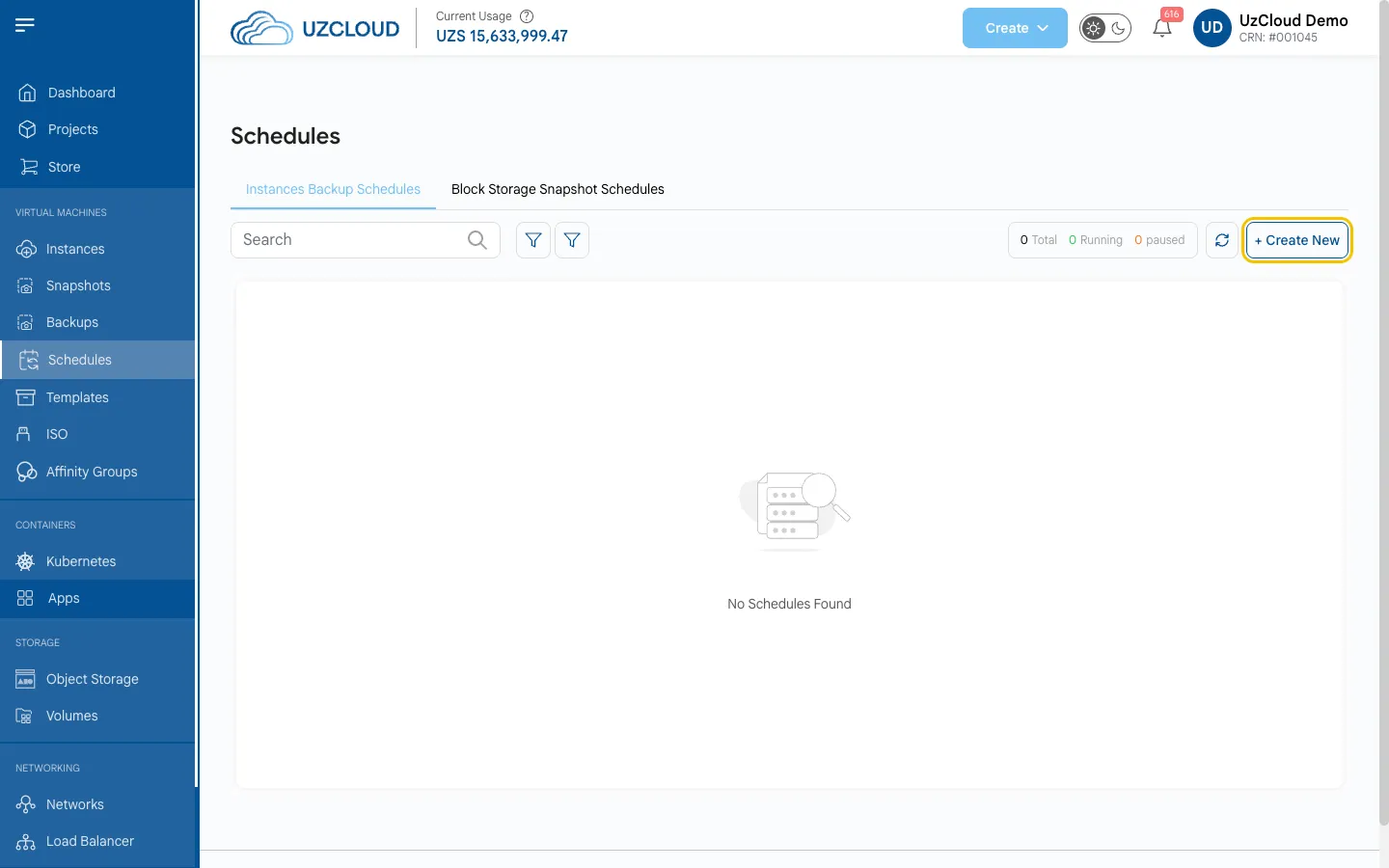
- From the left-hand menu, click Schedules.
- The page contains two tabs: Instances Backup Schedules and Block Storage Snapshot Schedules. For each tab, the number of schedules is shown, as well as how many of them are running and paused.
- Click + Create New to create a schedule.
Creating a Schedule
- Select the project, the location and the instance (or volume) for which copies should be created.
Note
An instance backup currently captures only the root volume of the virtual machine. Additional attached volumes are not included.
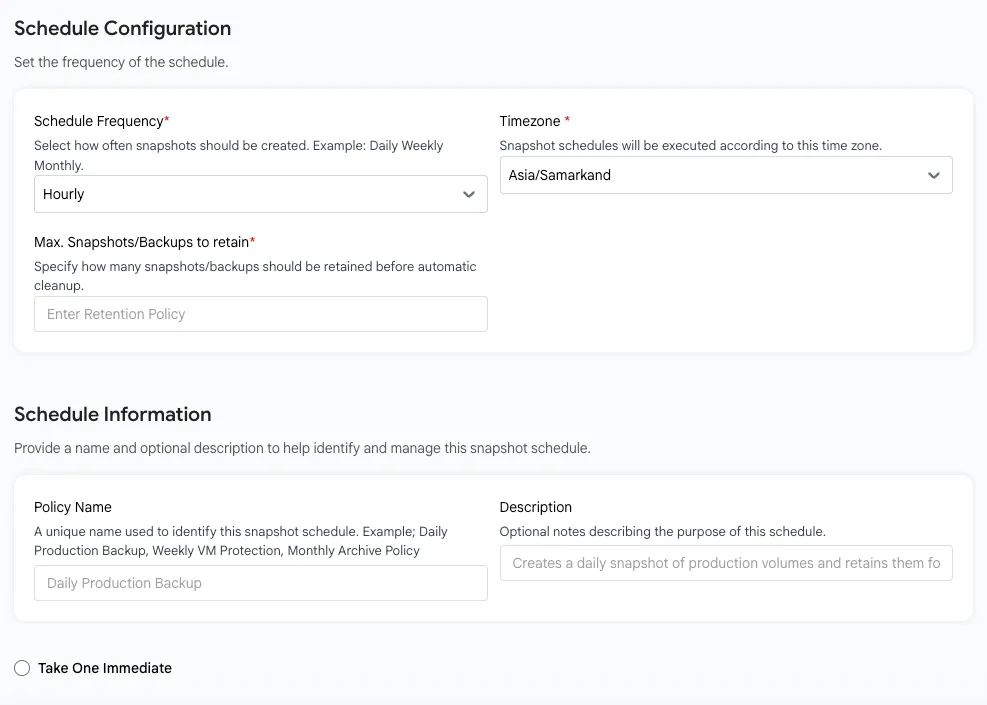
- In Schedule Configuration, set:
- Schedule Frequency — how often copies are created (for example, hourly, daily, weekly or monthly);
- Timezone — the time zone in which the schedule runs (by default, Asia/Samarkand);
- Max. Snapshots/Backups to retain — how many copies to keep; older copies are deleted automatically.
- In Schedule Information, enter the Policy Name and, optionally, a Description.
- Select Take One Immediate to create the first copy right away.
- Check the Price Summary and click Review & Create.