
Ilkhom Tumashev, Product Manager, UzCloud Hub
Expectation: You want to spend your workday as productively as possible and quickly schedule a team meeting.
Reality: You spend hours emailing back and forth trying to find a convenient time slot for everyone, and you forget about important calls.
A private team calendar helps simplify communication and regain control over your data. In this article, using the UzCloud Hub Calendar as an example, we will explain how to set it up properly to manage your schedule effectively.
1. Create Multiple Calendars and Synchronize Them in Minutes
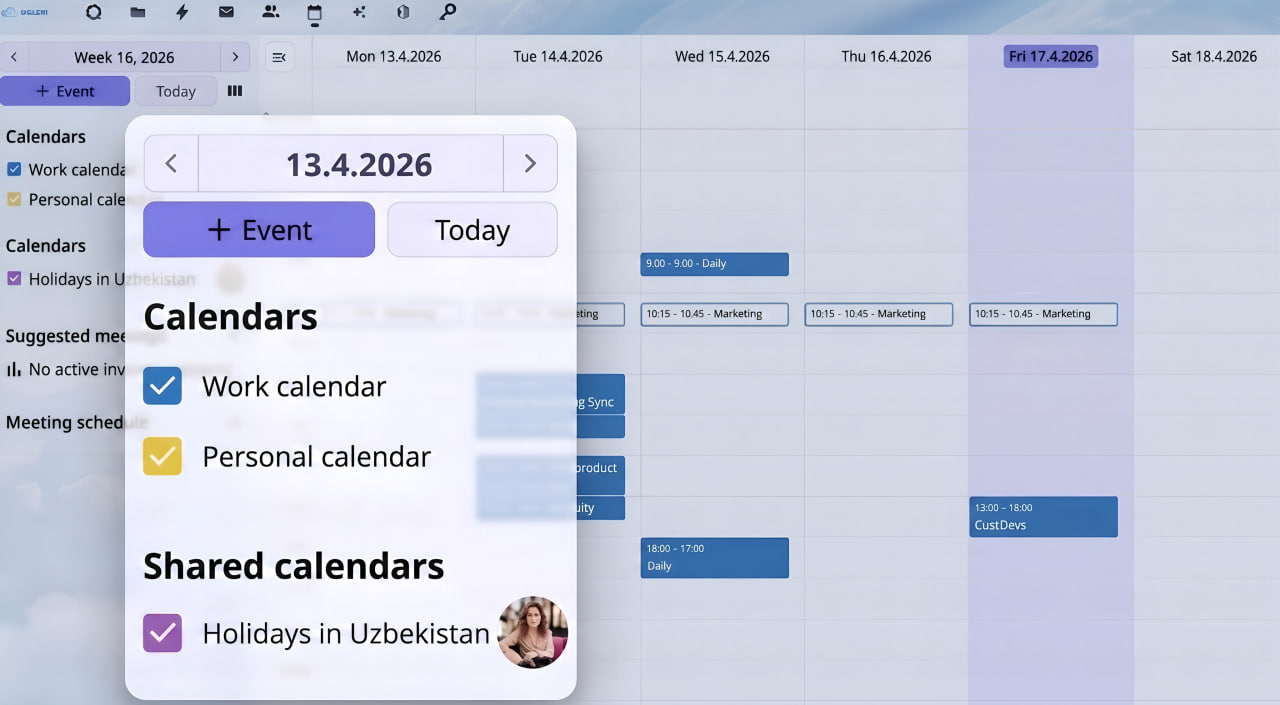
Personal and work tasks intersect in our daily schedules: from doctor's appointments to strategic sessions with partners. To manage your workload effectively and keep different contexts separate, enter both work and personal events into the system.
The UzCloud Hub Calendar can be configured in minutes. You can create several calendars at once — for example, «Work», «Home» or «Team Planning». This helps you maintain an organized schedule.
Already maintaining a schedule elsewhere? Simply download your events in .ics format and upload them to UzCloud Hub. With support for the open CalDAV standard, you can easily synchronize your plans with smartphones and standard clients like Apple Calendar, Thunderbird, or DAVx5 on Android.
2. Schedule Meetings Directly from an Email with One Click
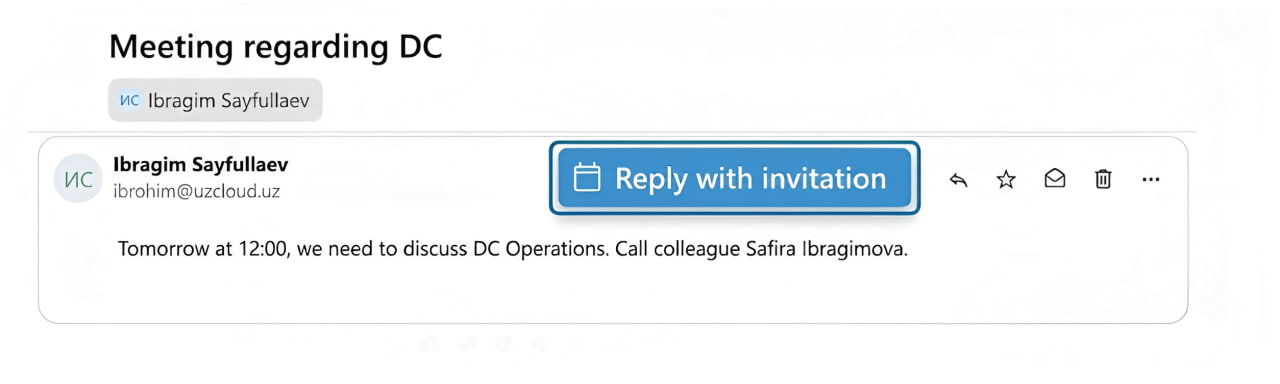
Switching between email and calendar tabs disrupts focus. In UzCloud Hub, the email and calendar function as a unified system.
If you receive an email proposing to discuss a project, you do not need to copy the text manually. Just select the «Reply with invitation» function in the email menu. The system will automatically pull the email subject into the meeting title and the entire message thread into the invitation description.
3. Share Your Schedule with Colleagues
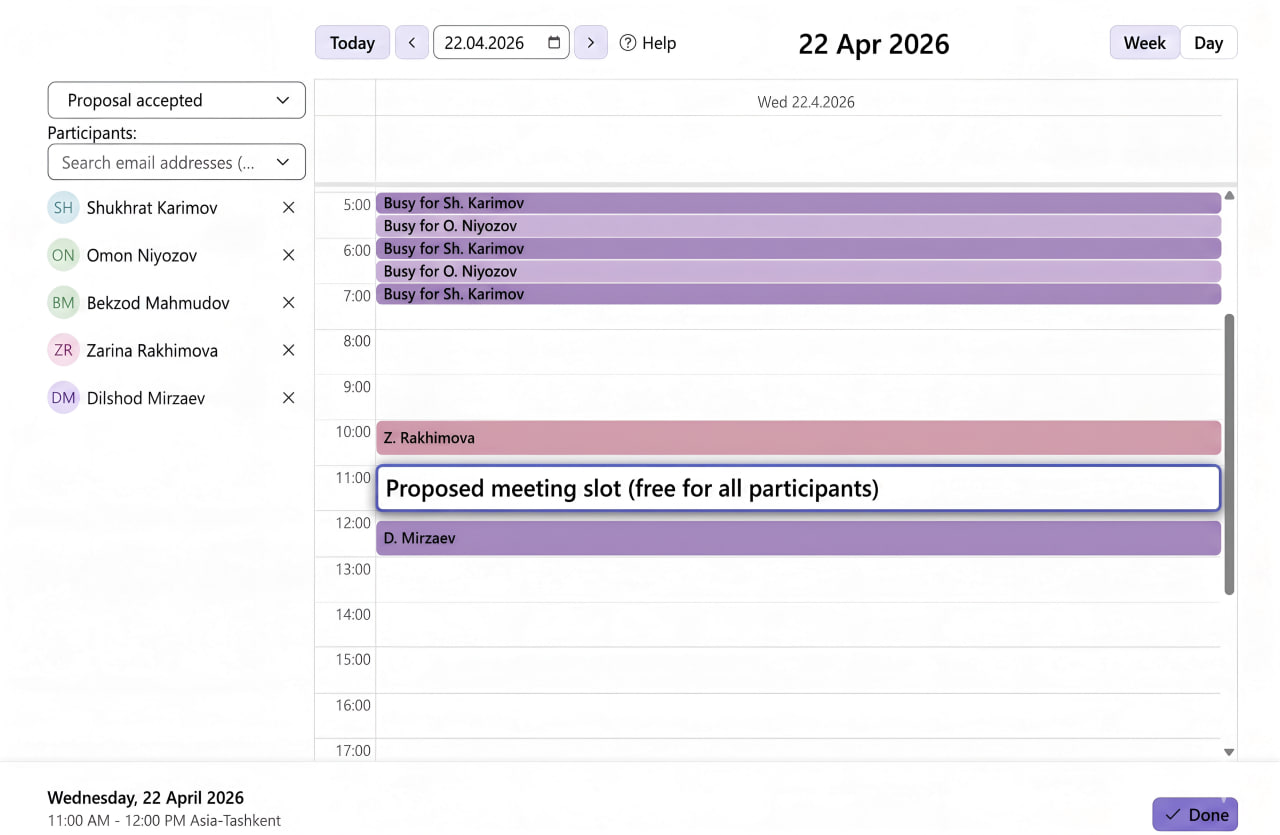
Sometimes coordinating a call takes half a day. To save time, you can grant colleagues access to your calendar. You retain full control over your data and decide who is allowed to view your availability.
When creating an event, you immediately see which colleagues are busy and who is free. The system helps find an available time slot for a general meeting without unnecessary questions in the chat.
Use a Private Ecosystem Where Your Data Belongs Solely to You
The Calendar is one of the services within the secure UzCloud Hub collaboration platform. Unlike services from Microsoft Office, Google Workspace, and others that may use your schedule information for targeted advertising and profiling, UzCloud Hub does not use your data. It remains completely private and is stored on servers you control.
The platform is well-suited for both individuals and entire departments. You can deploy UzCloud Hub on your own infrastructure or on UzCloud servers.