The Бюджет (Budget) tab sets up a spending notification: an email is sent when monthly spending reaches the set share of the planned budget.
- Set the Плановый бюджет на месяц (Planned monthly budget) in UZS.
- Set the budget percentage to notify at (Уведомить при достижении, % — Notify at, %), for example
80. - The main recipient is the account billing email. Add Дополнительные получатели (Additional recipients) separated by commas if needed.
- Turn on Уведомление включено (Notification enabled) and click Сохранить (Save).
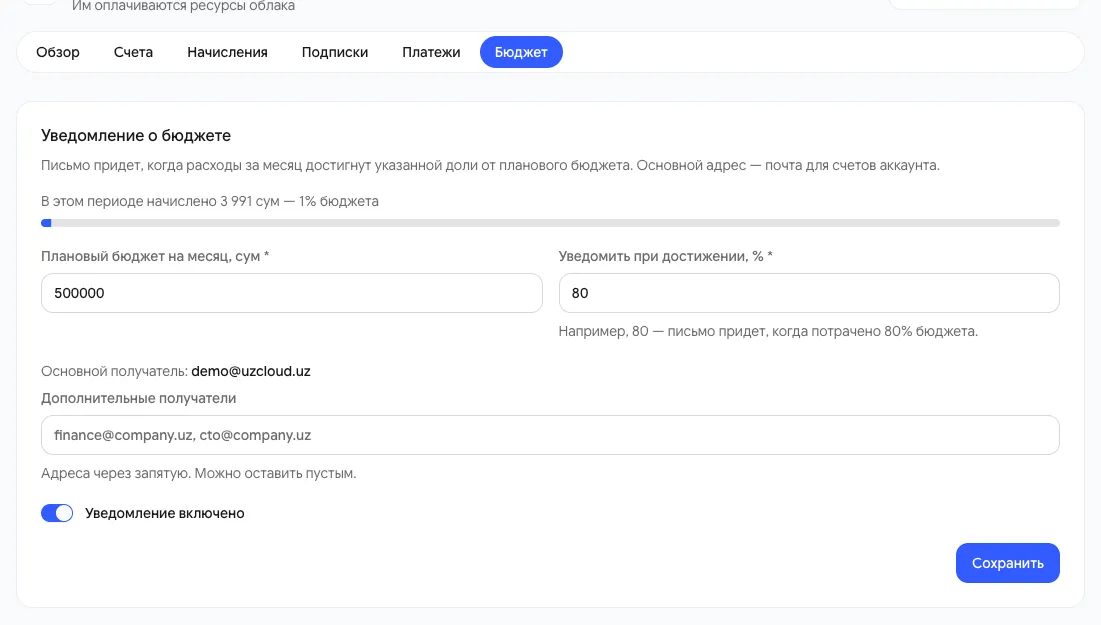
Above the form, you can see how much was charged in the current period and what share of the budget it is.