UzCloud Account Setup Guide
This guide provides a step-by-step tutorial to help you create a UzCloud account, set up billing, and verify your account.
Register Account
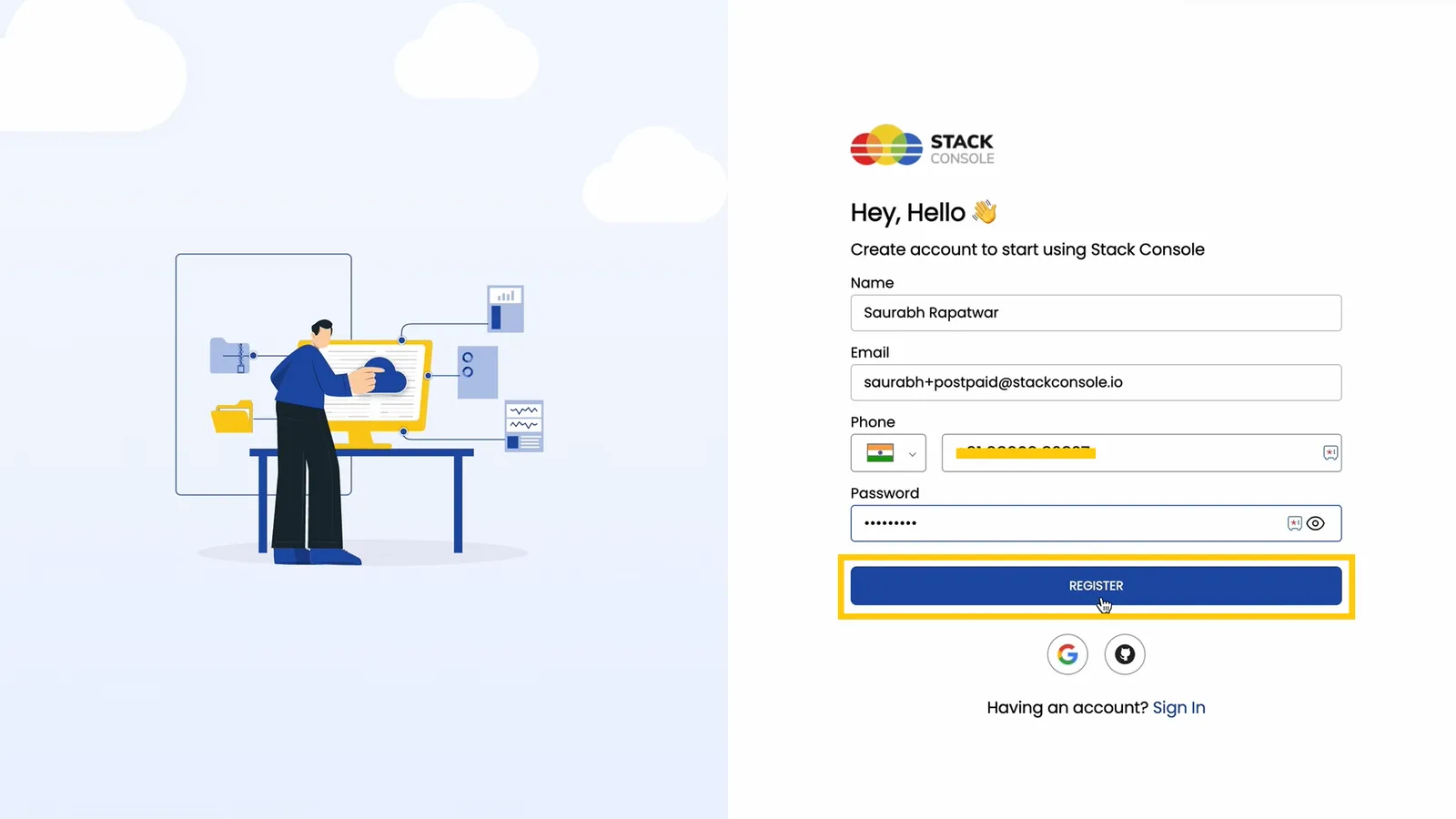
- Open the UzCloud console at console.uzcloud.uz and navigate to the Sign-In or Create Account section.
- Enter the necessary details, such as your name, email address, and password.
- Click Register to proceed to the next step.
Verify Your Email
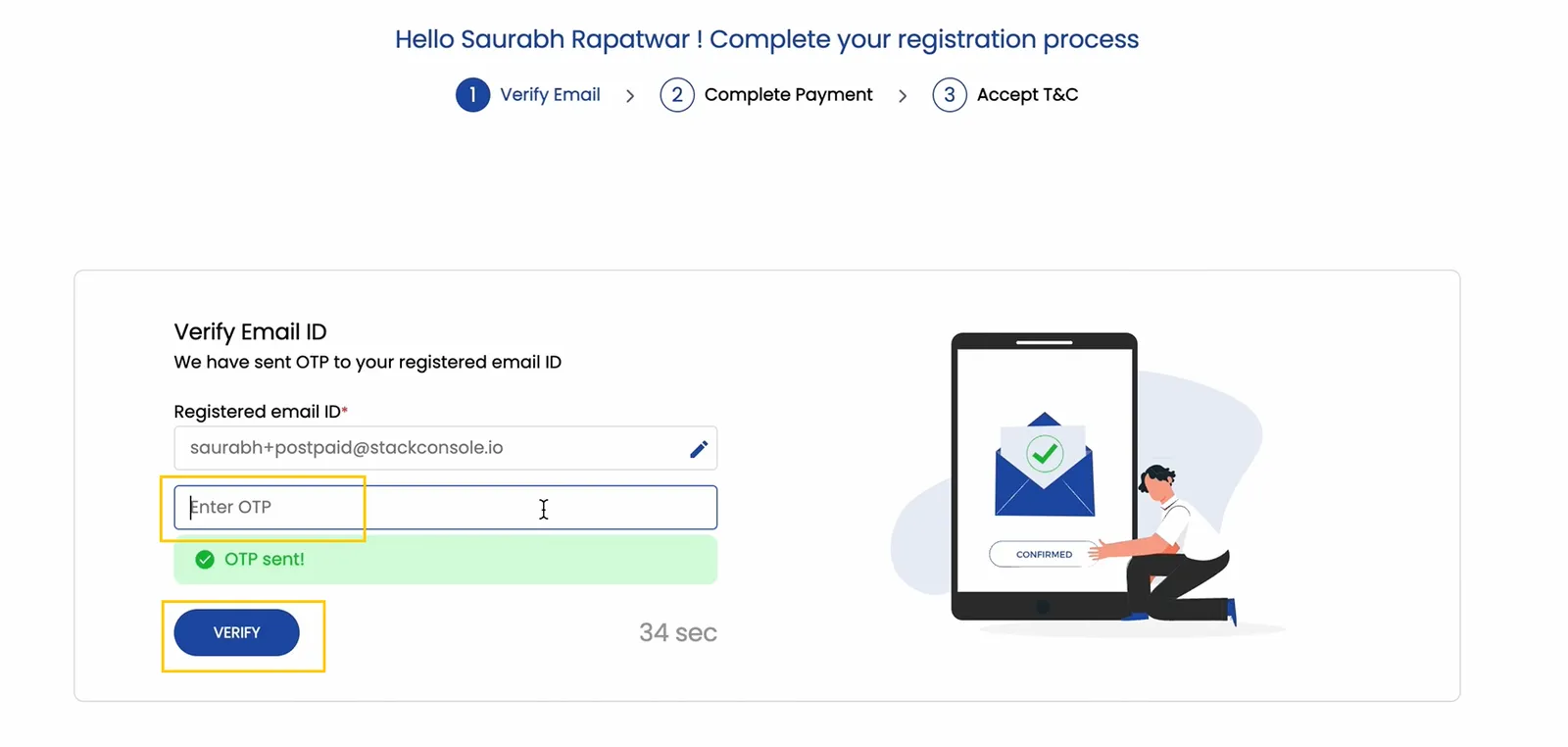
- Check your email inbox for a verification email from UzCloud containing a One-Time Password (OTP).
- Enter the OTP in the provided field on the website.
- Click Verify to confirm and proceed to the billing setup.
Set Up Billing Method
-
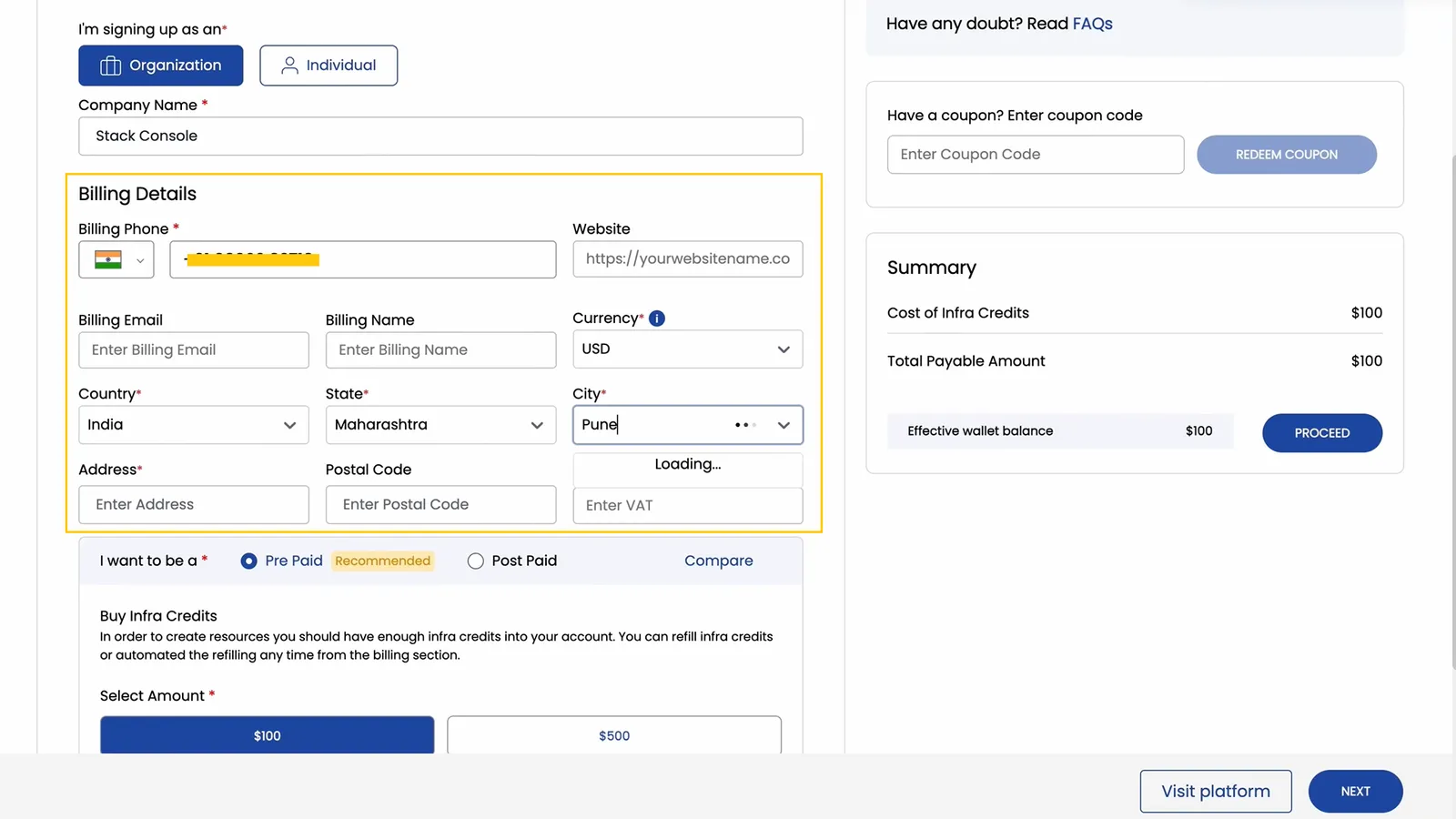
After verifying your account, you’ll be prompted to set up your billing information.
-
Choose a billing type:
- Individual: For personal use; enter details like your address.
- Company: For organizational use; provide details such as your company name, website, and address.
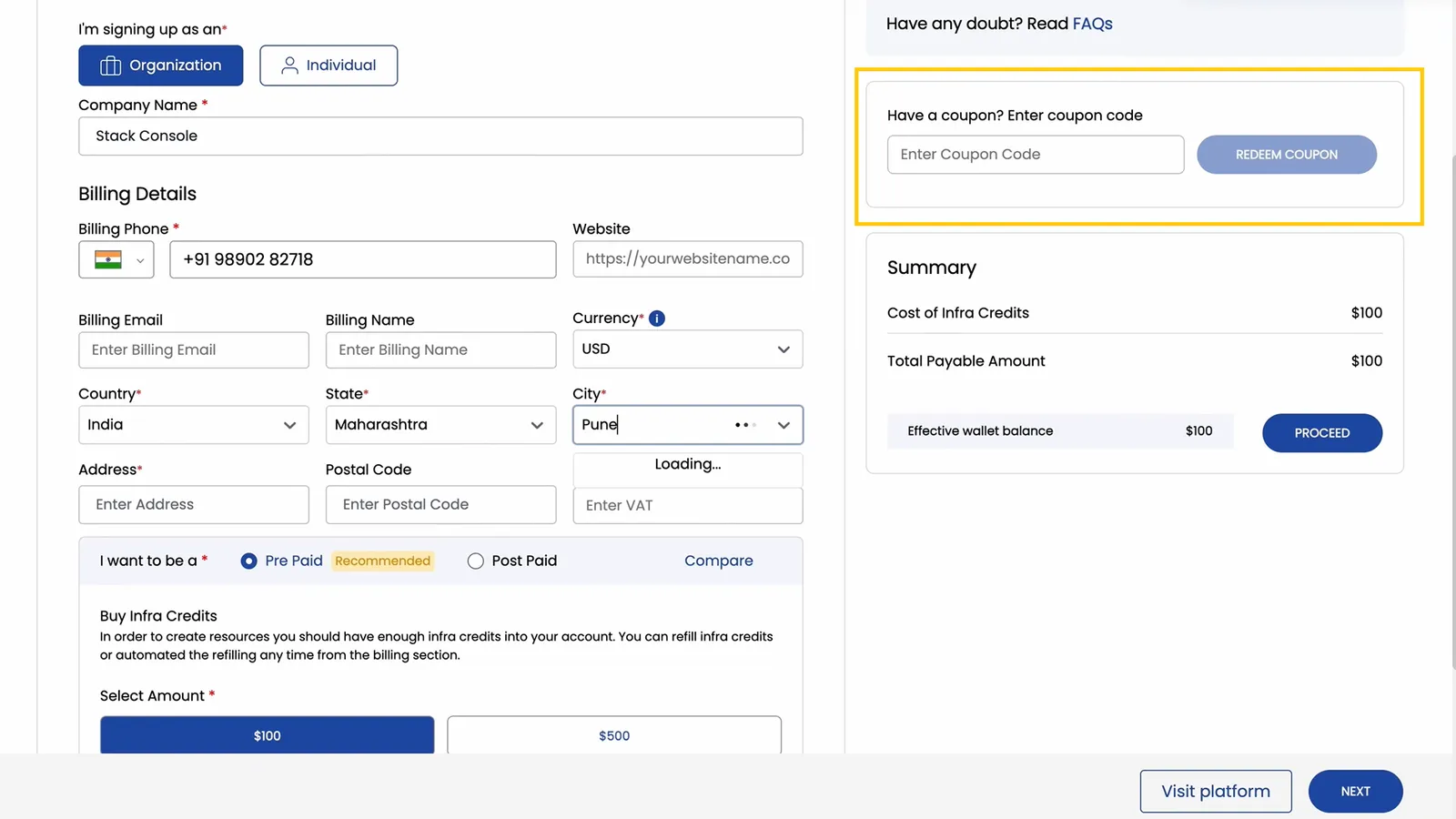
- If you have a coupon, redeem it at checkout to receive a discount or promotional offer.
Choose a Payment Plan
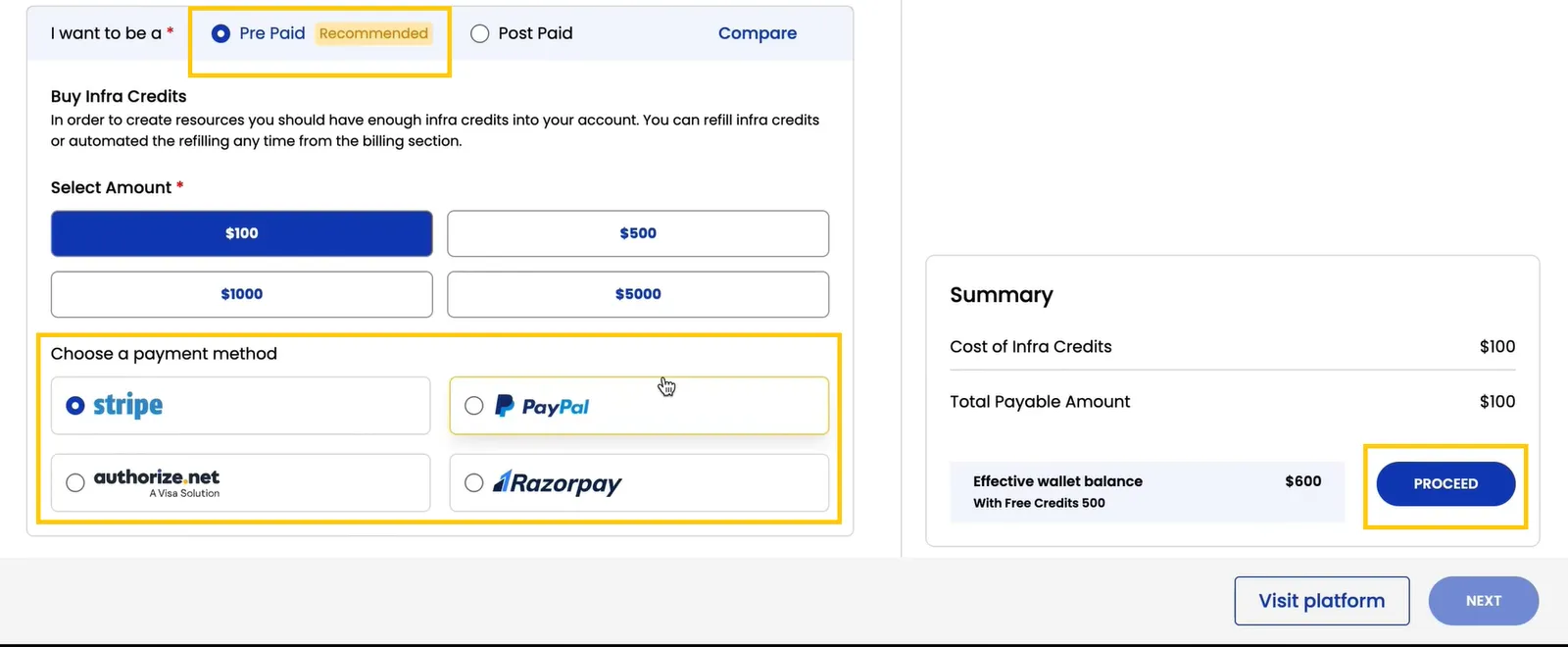
Prepaid (Recommended):
- Prepaid accounts require you to load credits in advance, which you’ll use to create resources within the platform.
- To use resources, purchase infrastructure credits by selecting the desired amount.
- Choose one of the available payment methods and click Proceed to complete the payment.
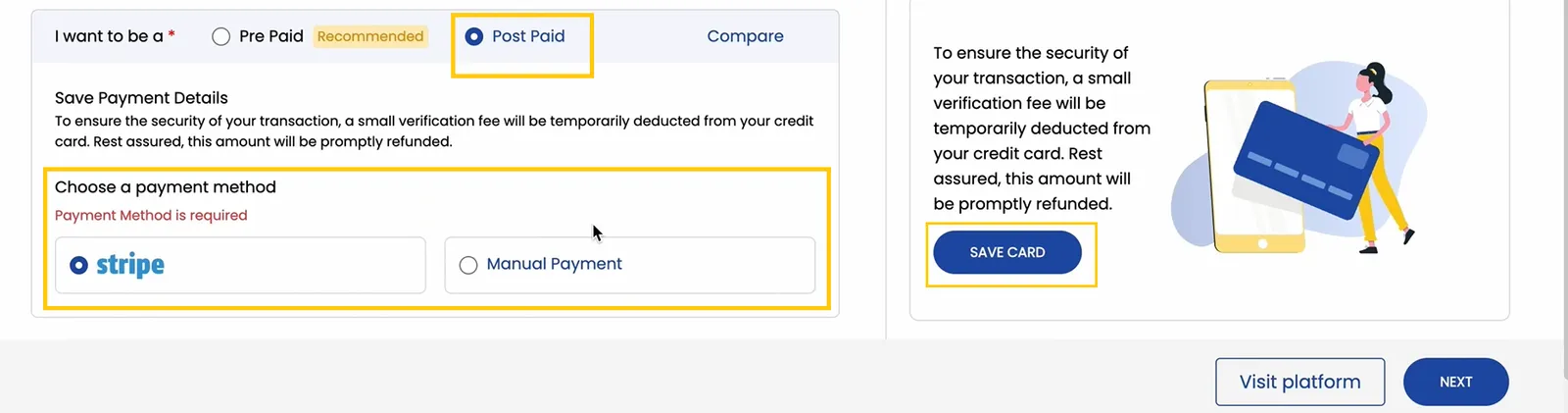
Postpaid:
- Postpaid accounts allow you to pay after consuming resources. This option may require additional verification, such as detailed billing information or credit checks.
- Choose one of the available payment methods and click Save Card to complete the payment.
Final Steps
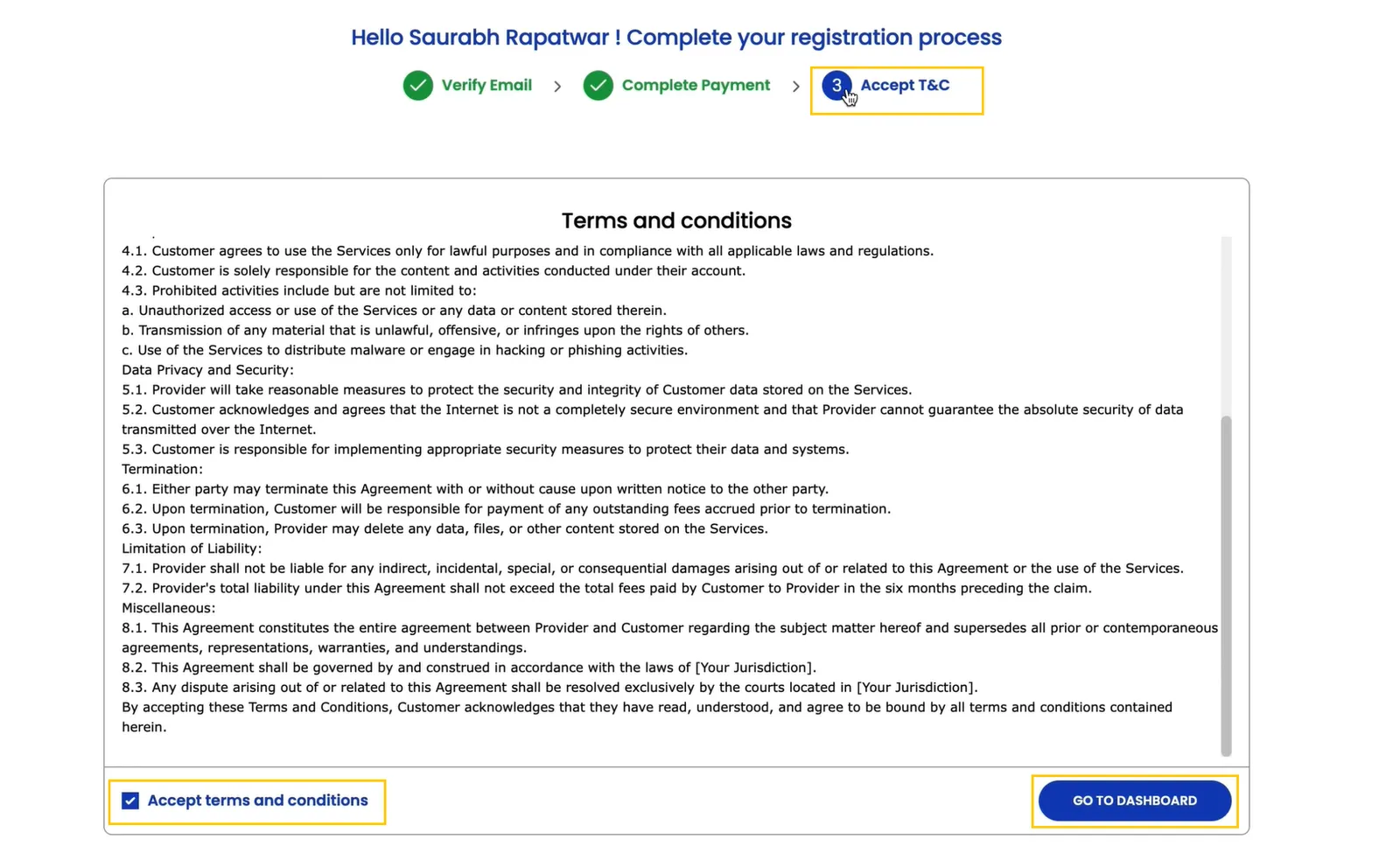
- Review the Terms & Conditions of the platform carefully.
- Accept the terms to complete the registration process.
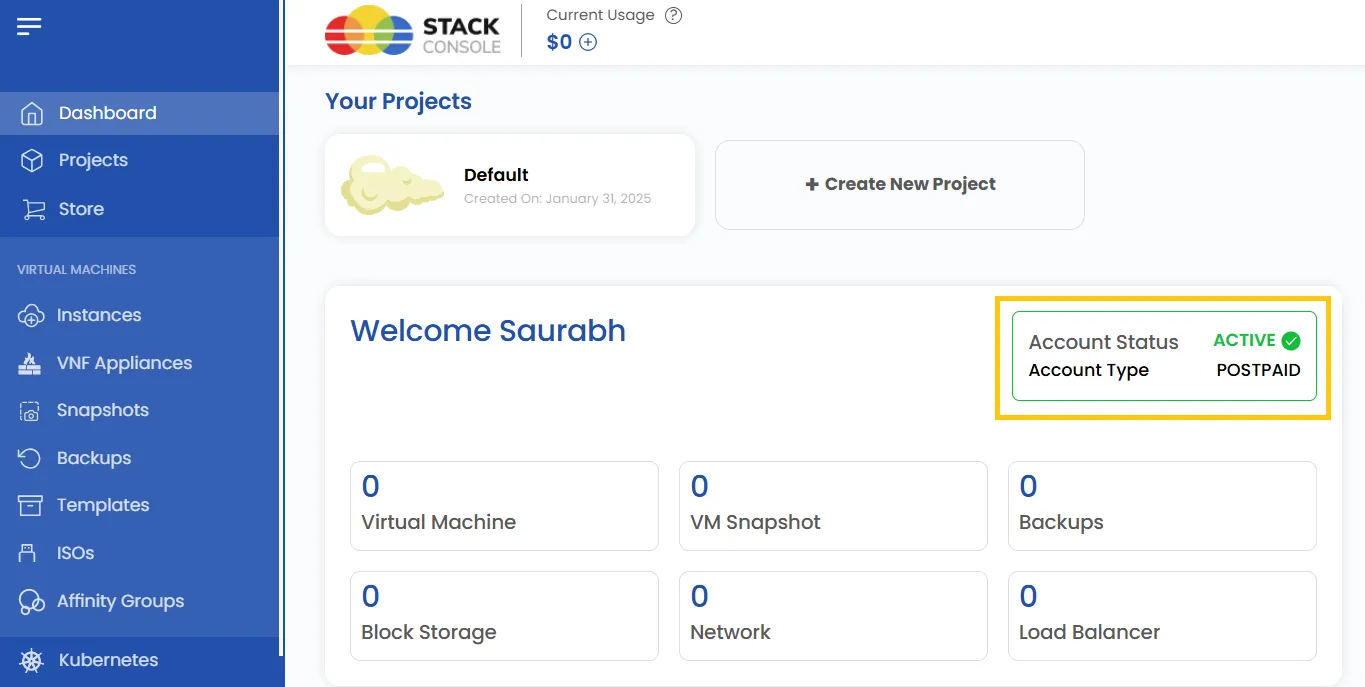
- Prepaid Users: Your account status will display as active, with the account type set to prepaid.
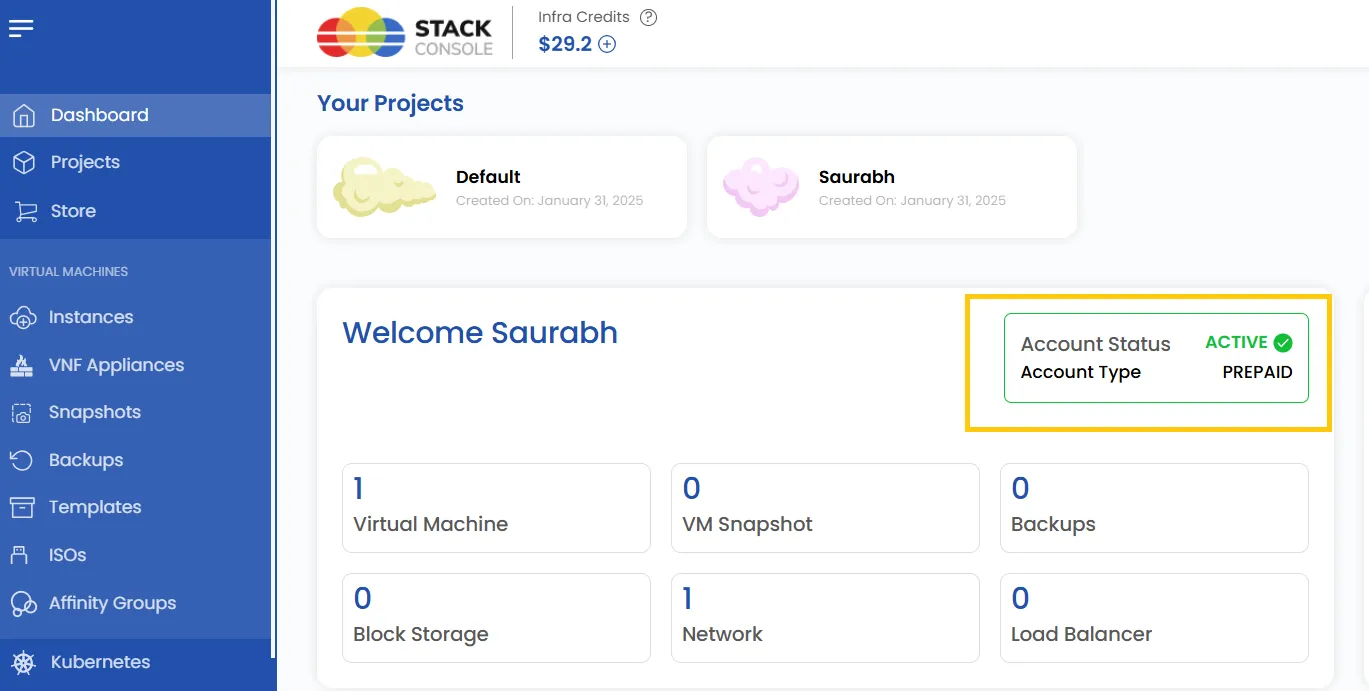
- Postpaid Users: After verification, your account will display as active with the account type set to postpaid.
Conclusion
Setting up your UzCloud account is a straightforward process. By following the steps outlined in this guide, you can successfully register, verify your email, configure billing, and choose a payment plan that best suits your needs. Once completed, you’ll have full access to the UzCloud dashboard and its features, enabling you to manage your resources efficiently.