Snapshot of Virtual Machine Instance
An instance snapshot captures the state of a virtual machine at a specific point in time. You can return the VM to this state after a failed update or accidental changes.
Note
Snapshots are billed at UZS 3.00 per GB per hour. A snapshot can only be restored to a disk of equal or larger size.
Creating an Instance Snapshot
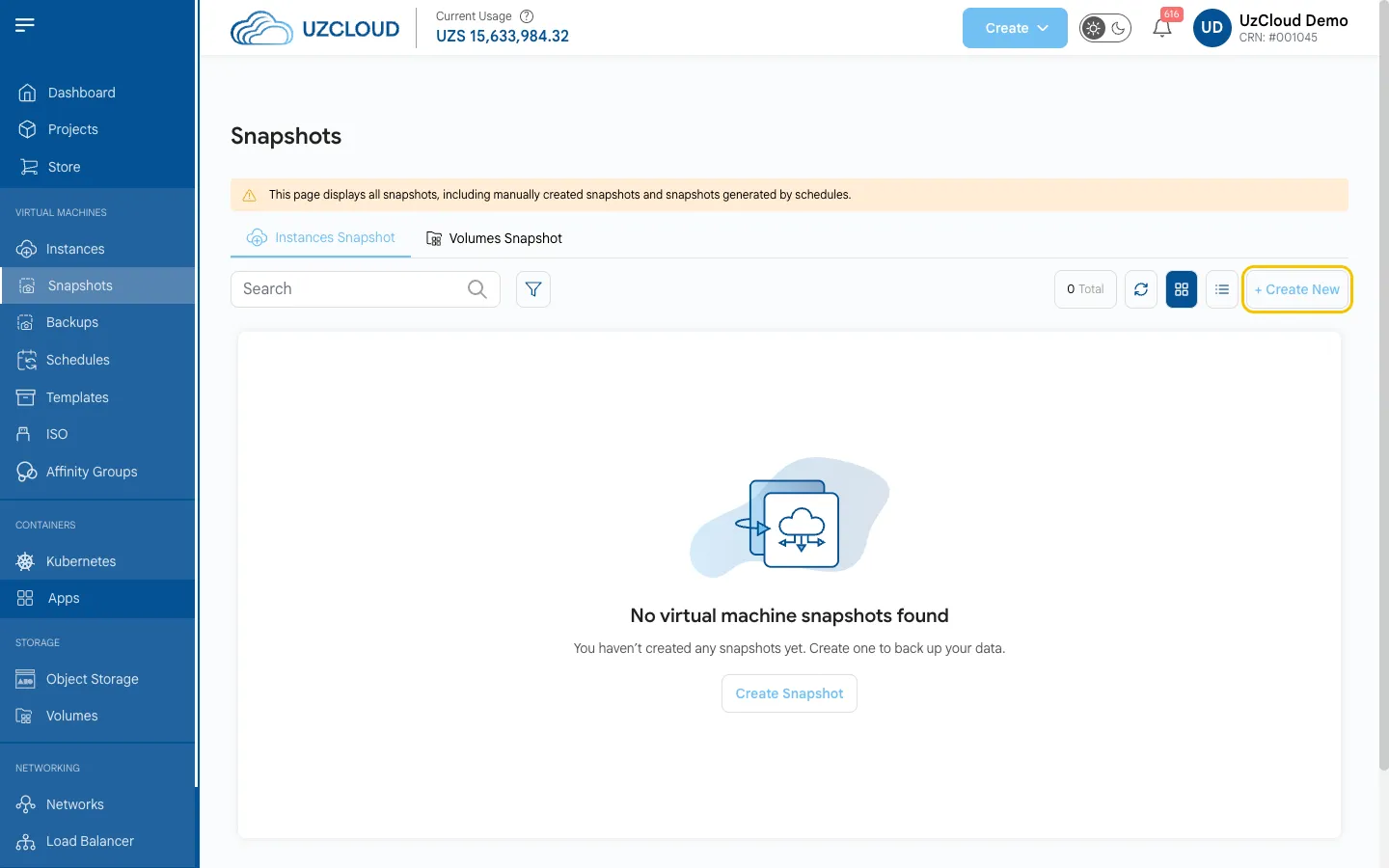
- From the left-hand menu, click Snapshots and open the Instances Snapshot tab. The page shows all snapshots, including manually created ones and snapshots generated by schedules.
- Click + Create New. The Create Snapshot page opens. You can also take a snapshot from the VM Snapshot button on the instance page.
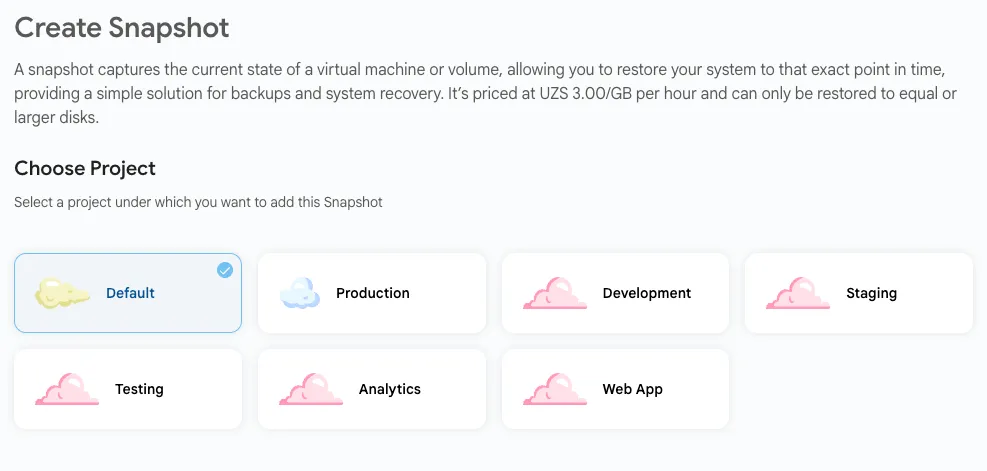
- Select the project and the location where the instance is located.
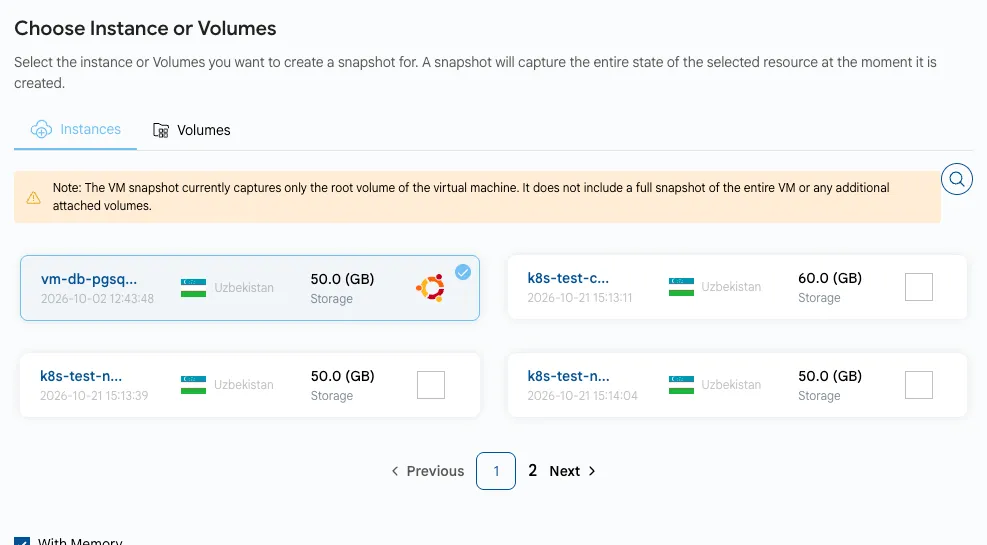
- In Choose Instance or Volumes, open the Instances tab and select the virtual machine.
Important
An instance snapshot currently captures only the root volume of the virtual machine. Additional attached volumes are not included — take volume snapshots for them separately.
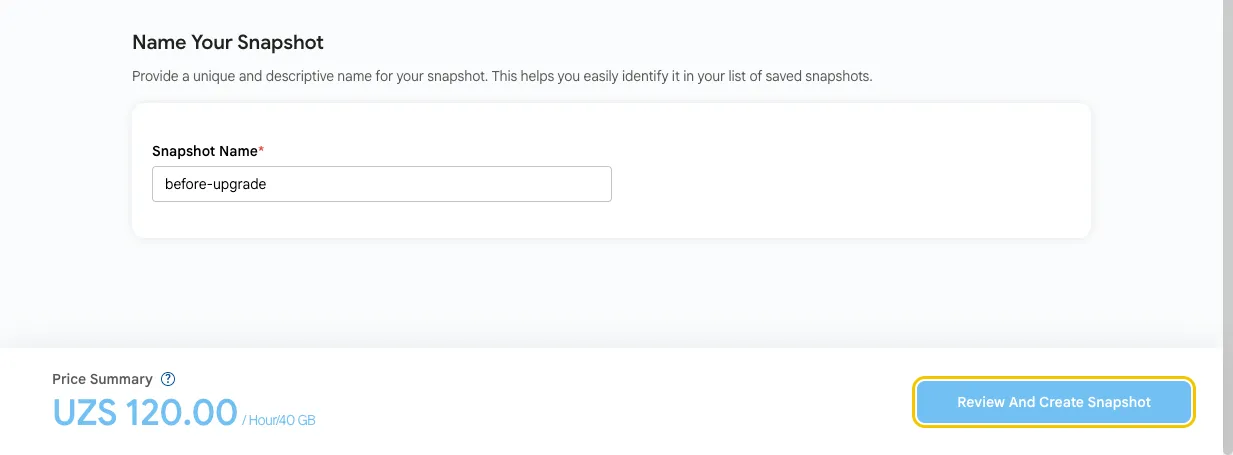
- Enter a unique Snapshot Name.
- Check the Price Summary and click Review And Create Snapshot.
Conclusion
Instance snapshots let you quickly return a virtual machine to a known good state. To create snapshots automatically, use Schedules. For further assistance, refer to the UzCloud documentation or reach out to support.