An isolated network is a private network for servers: they see each other at internal addresses and reach the internet through the network’s shared public IP (source NAT). Inbound traffic from the internet is blocked by default.
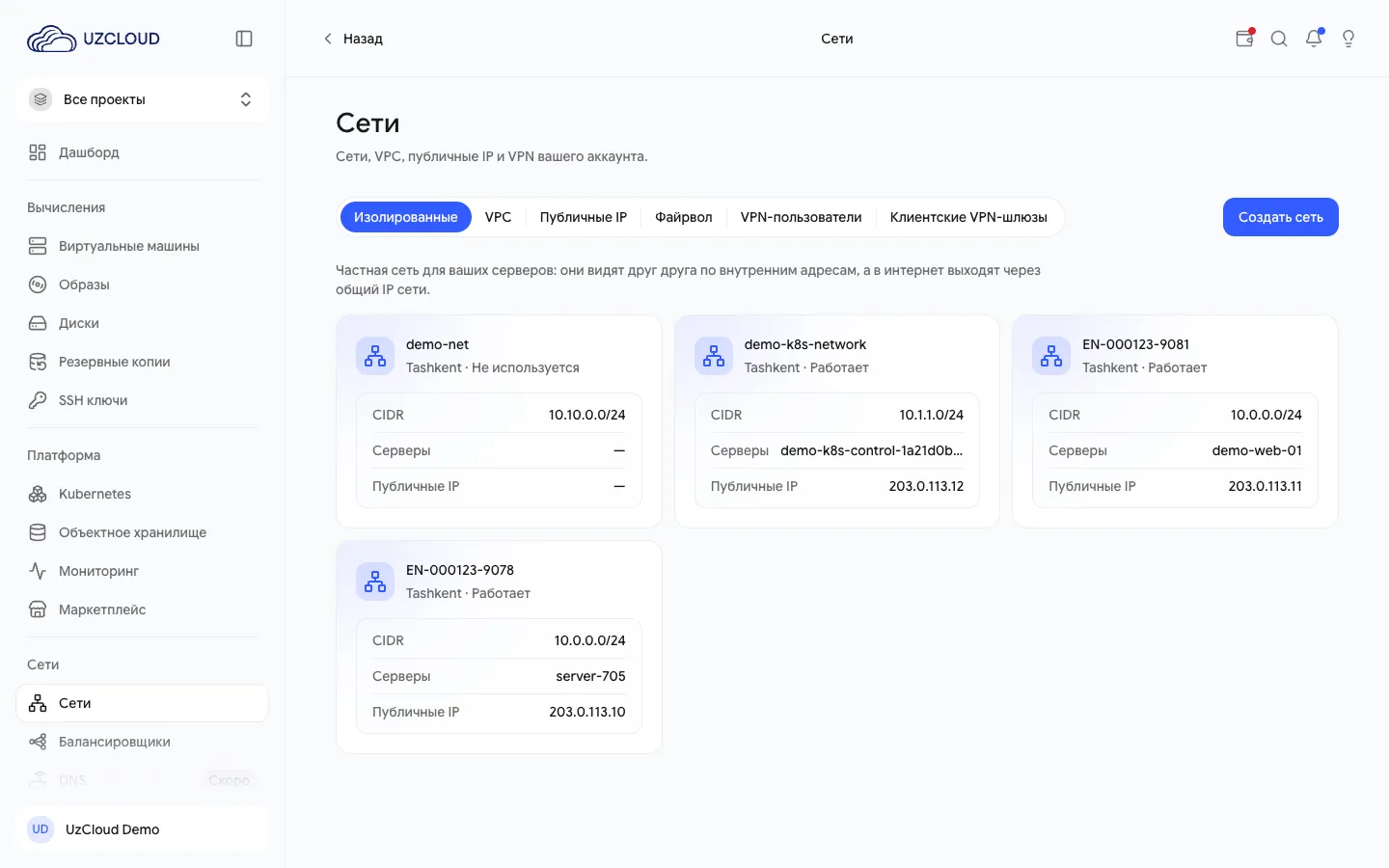
Networks are in Сети (Networks), on the Изолированные (Isolated) tab. Each network shows its region, state, CIDR, servers and public IPs.
Note
You can create a network in advance or right in the server creation wizard — the Сеть (Network) block, Изолированная (Isolated) type.
Create a Network
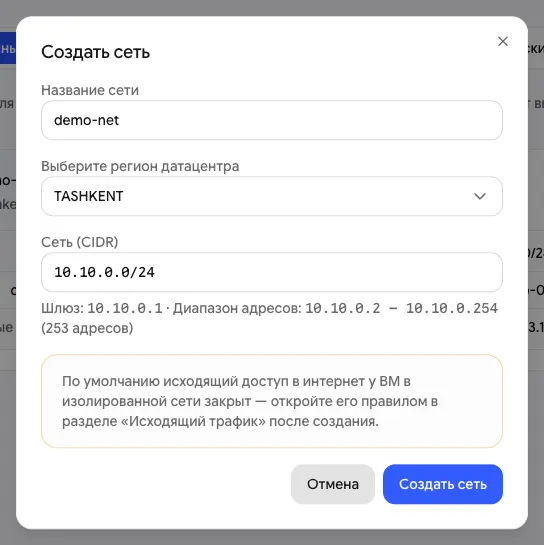
- Click Создать сеть (Create network).
- Enter the Название сети (Network name) and select the data center region.
- Set the Сеть (CIDR) (Network CIDR), for example
10.10.0.0/24. The gateway and server address range are shown below the field. - Click Создать сеть (Create network).
Important
In a network created on this tab, outbound internet access is closed by default. Open it with an egress rule.
Egress Rules
Egress rules define what traffic the network’s servers can send out. Everything not allowed by the rules is blocked. Click … next to the network → Исходящие правила (Egress rules).
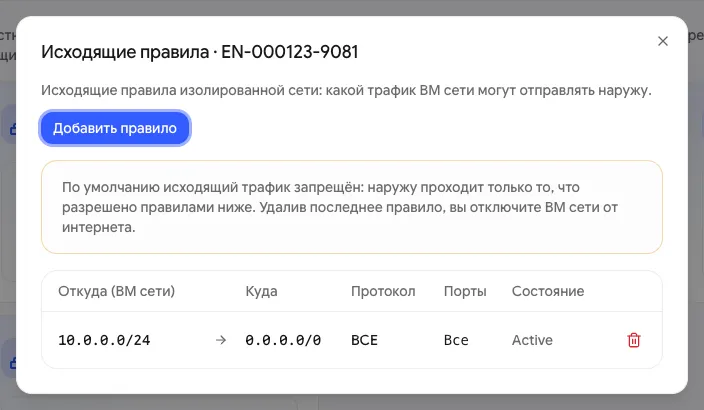
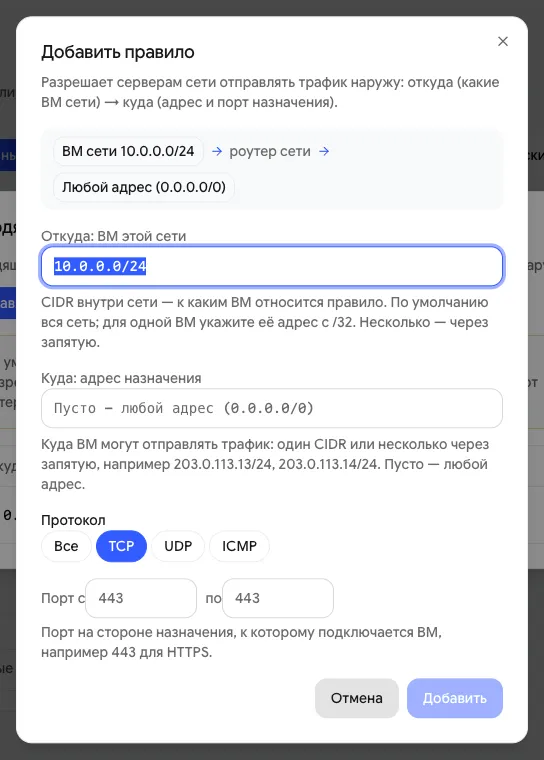
To add a rule, click Добавить правило (Add rule) and set:
- Откуда: ВМ этой сети (From: VMs of this network) — a CIDR inside the network; the whole network by default, for one server — its address with
/32; - Куда: адрес назначения (To: destination) — destination CIDR; empty means any address;
- Протокол (Protocol) and the destination port range (Порт с … по — from … to), for example
443for HTTPS.
Warning
If you delete the last egress rule, the network’s servers lose internet access.
Inbound traffic is configured in the public IP firewall — see Firewall.
Delete a Network
Click … next to the network → Удалить (Delete). A network with servers can’t be deleted: delete the servers or move them to another network first.