The Файрвол (Firewall) tab in Сети (Networks) collects all traffic rules of the account. They are divided into three groups.
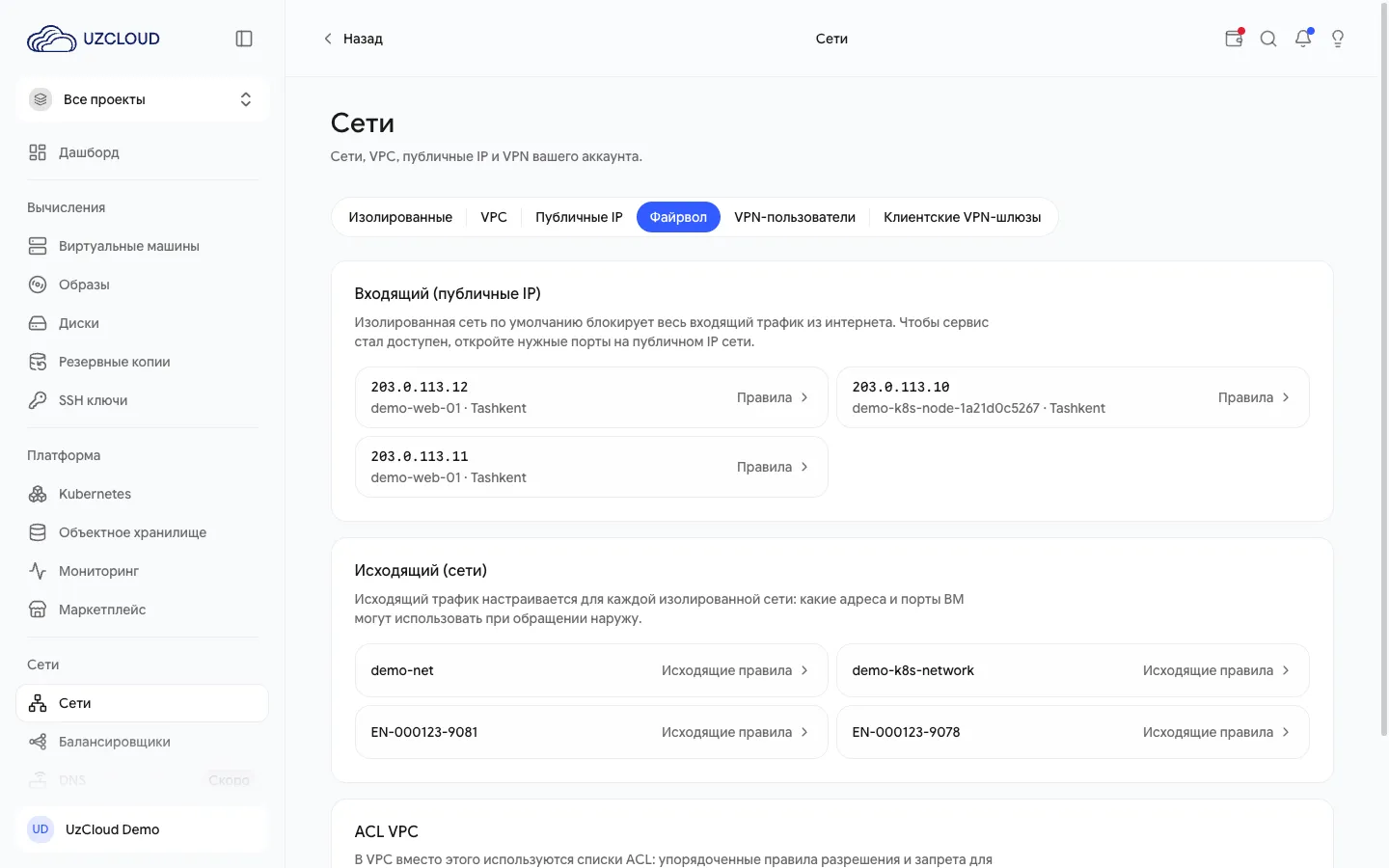
Inbound Traffic (Public IPs)
An isolated network blocks all inbound traffic from the internet by default. To make a service reachable, open the required ports on the network’s public IP: click Правила (Rules) next to the address and add a rule — protocol, source (CIDR) and ports.
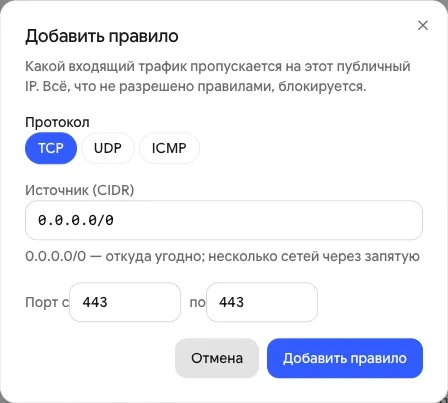
The same rules are available in the address menu on the Публичные IP (Public IPs) tab and on the server page — see Server Firewall.
Outbound Traffic (Networks)
For each isolated network, you set which addresses and ports servers can use when connecting out. Click Исходящие правила (Egress rules) next to the network — see Isolated Networks.
VPC ACLs
VPCs use ACL lists instead: ordered allow and deny rules for inbound and outbound traffic assigned to subnets. Click Открыть ACL (Open ACL) next to the VPC — see ACL Lists.