Public IP Address
A public IP address in UzCloud is an internet-facing address that makes your cloud resources reachable from outside. For each address, you can configure firewall rules, port forwarding and remote access VPN.
View Public IPs
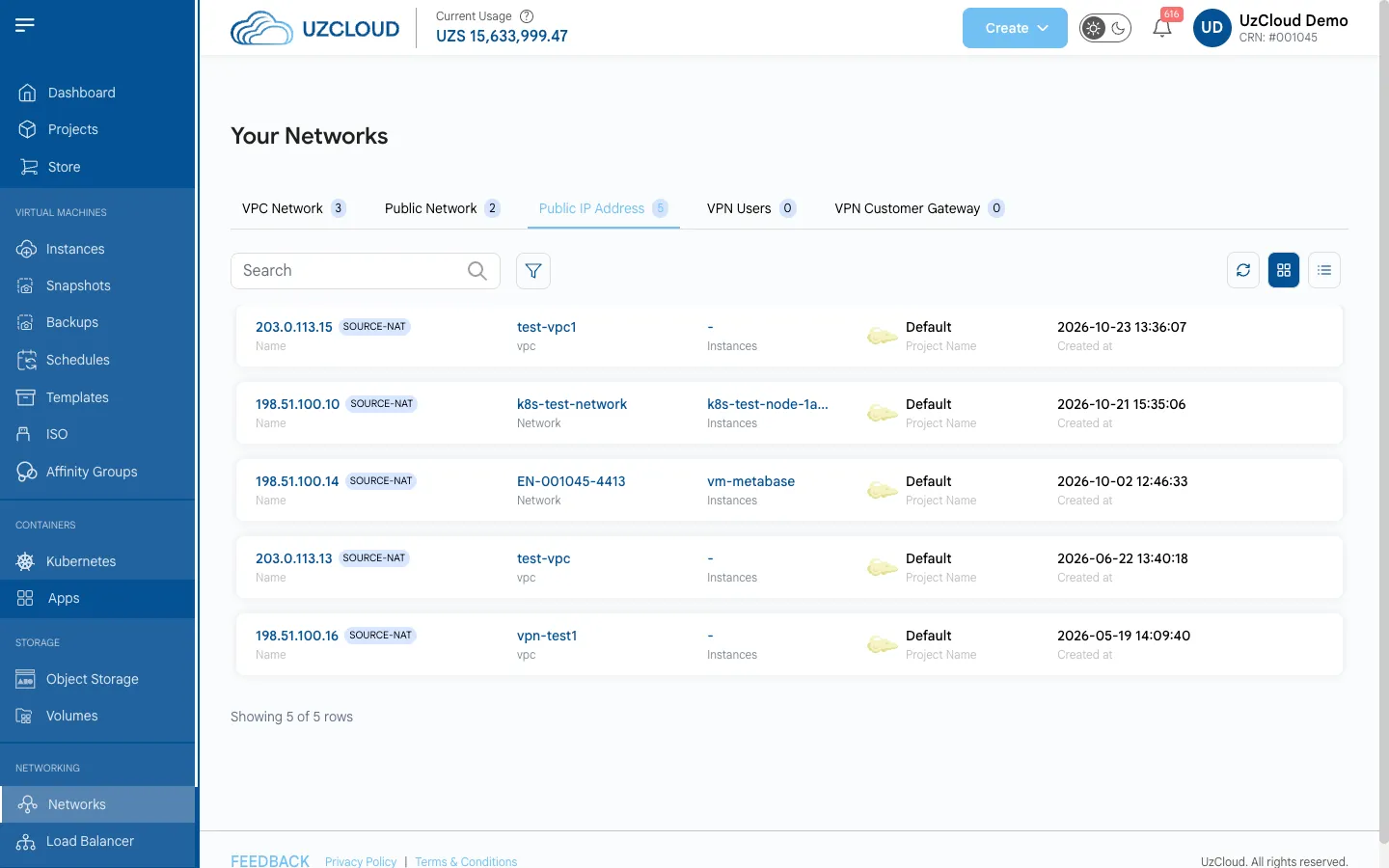
- In the left-hand menu, under NETWORKING, click Networks, then open the Public IP Address tab. It lists your addresses with their network or VPC, instances, project and creation date. The SOURCE-NAT label marks the address that a network or VPC uses for outgoing traffic.
Public IP Details
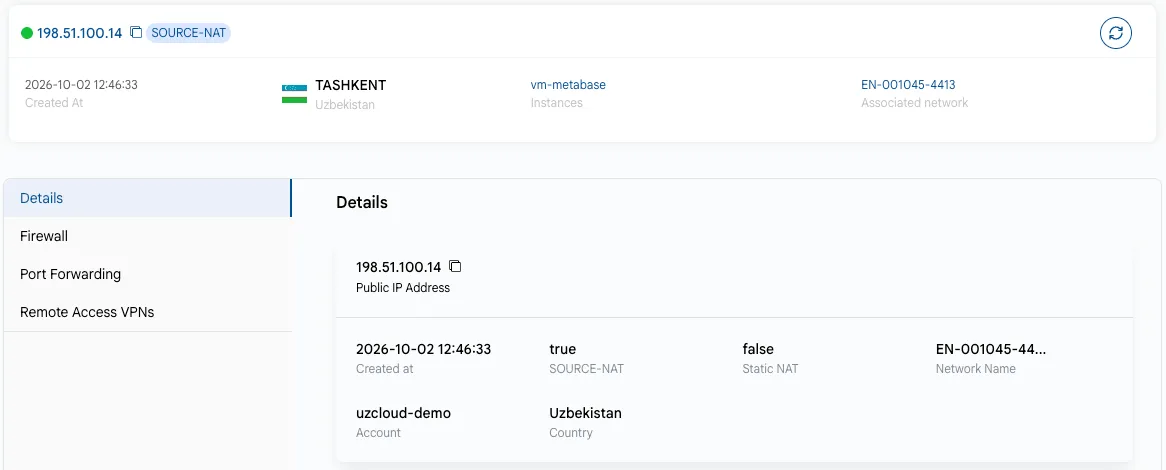
- Click an address to open its page. The card shows the creation date, location, instances and associated network. The Details tab shows the IP address, creation date, whether it is the SOURCE-NAT or Static NAT address, the network name, the account and the country.
Firewall Rules
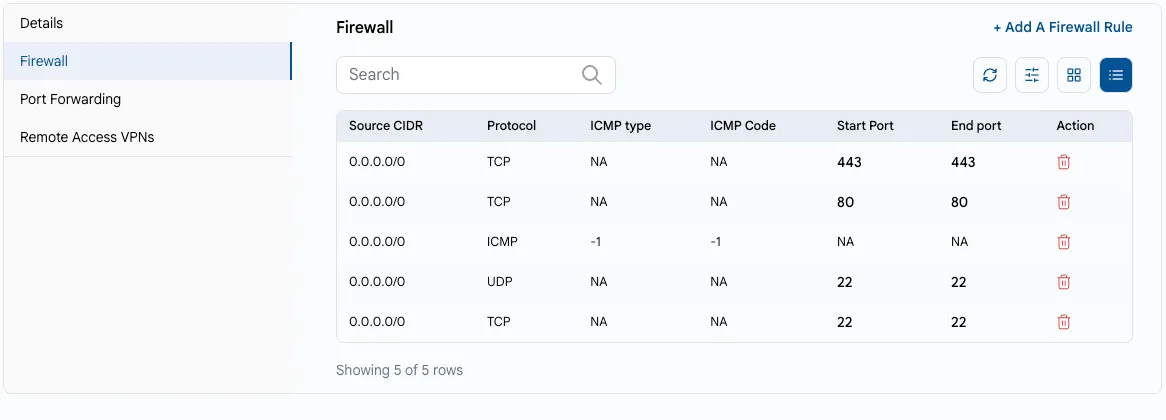
Firewall rules define which inbound traffic is allowed to reach the address.
- Open the Firewall tab. It lists the rules: source CIDR, protocol, ICMP type and code, and port range. To delete a rule, click the delete icon in its row.
- Click + Add A Firewall Rule.
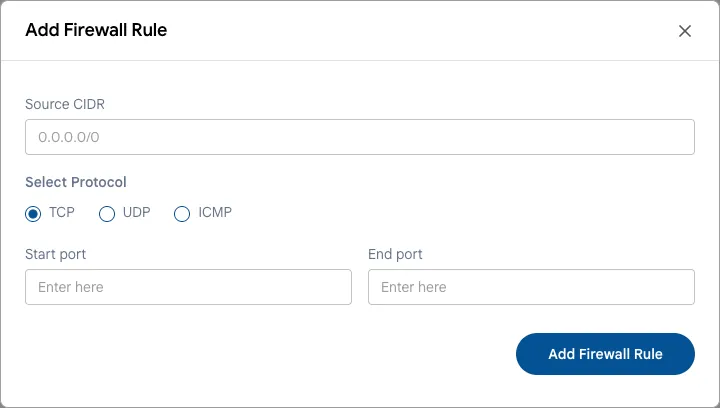
- Enter the Source CIDR (for example,
0.0.0.0/0for any address), select the protocol (TCP, UDP or ICMP), enter the Start port and End port and click Add Firewall Rule.
Port Forwarding Rules
Port forwarding sends traffic arriving at a public port to a port on a VM in the network.
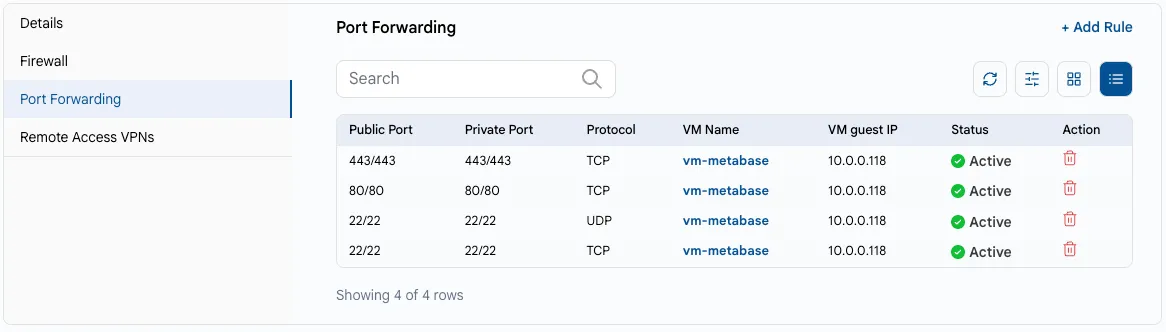
- Open the Port Forwarding tab. It lists the rules: public and private ports, protocol, VM name, VM guest IP and status.
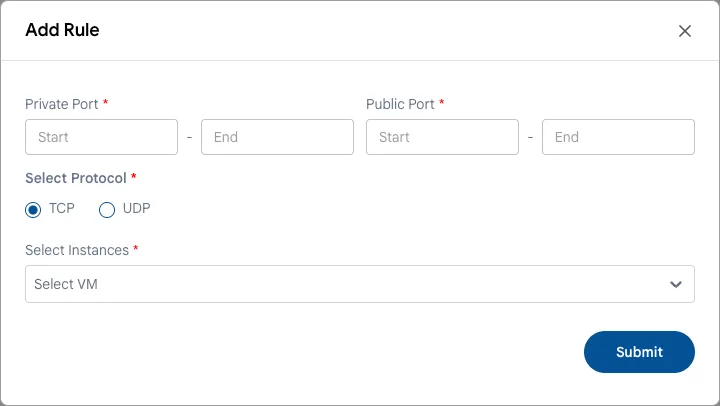
- Click + Add Rule.
- Private Port — the port range (start and end) on the VM.
- Public Port — the port range (start and end) on the public IP address.
- Select Protocol — TCP or UDP.
- Select Instances — the VM that will receive the traffic.
- Click Submit.
Note
For a port to be reachable from the internet, a firewall rule for it is also required.
Remote Access VPN
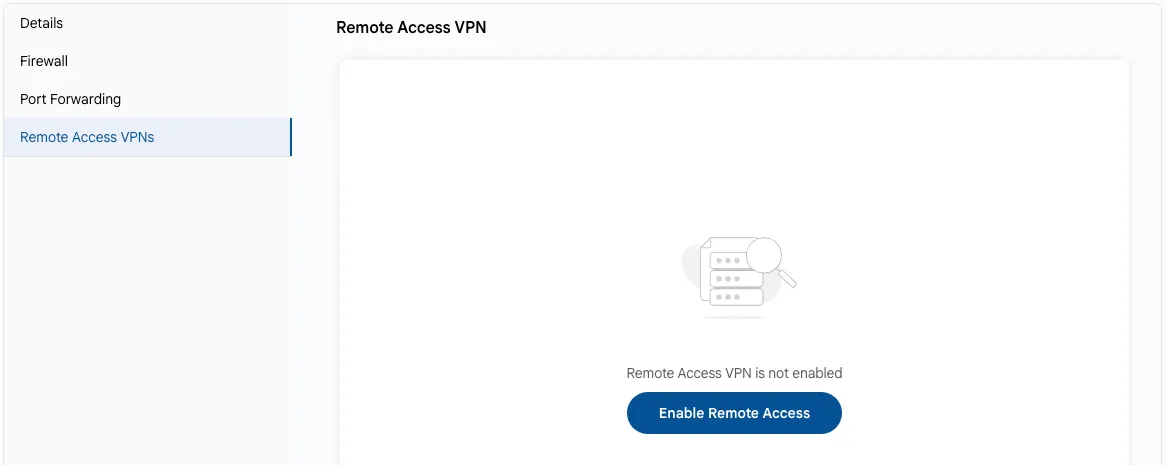
- Open the Remote Access VPNs tab. To get secure remote access to the private network, click Enable Remote Access. Then add users on the VPN Users tab of the Networks page.
Conclusion
By following this guide, you can manage public IP addresses in UzCloud: view their details, apply firewall rules, configure port forwarding and enable VPN access.