VPN Users
A VPN User in UzCloud refers to an authenticated individual who connects to the cloud environment via a Virtual Private Network (VPN). This ensures secure remote access to private cloud resources.
- From the left-hand menu, click on the Networks tab.
- You will be redirected to the Networks page. Go to the VPN Users tab.
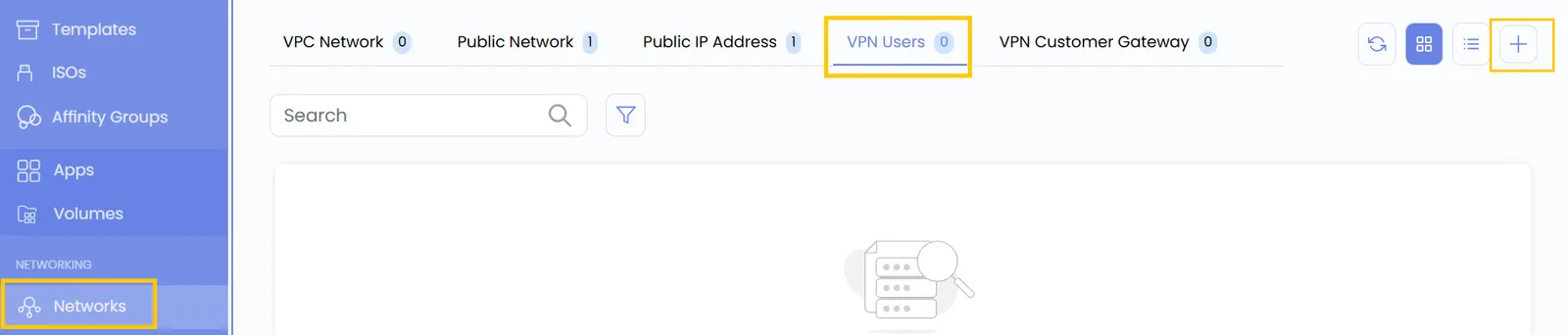
- Click on the plus (+) icon to add a new VPN User. A form will appear where you need to enter the configuration details.
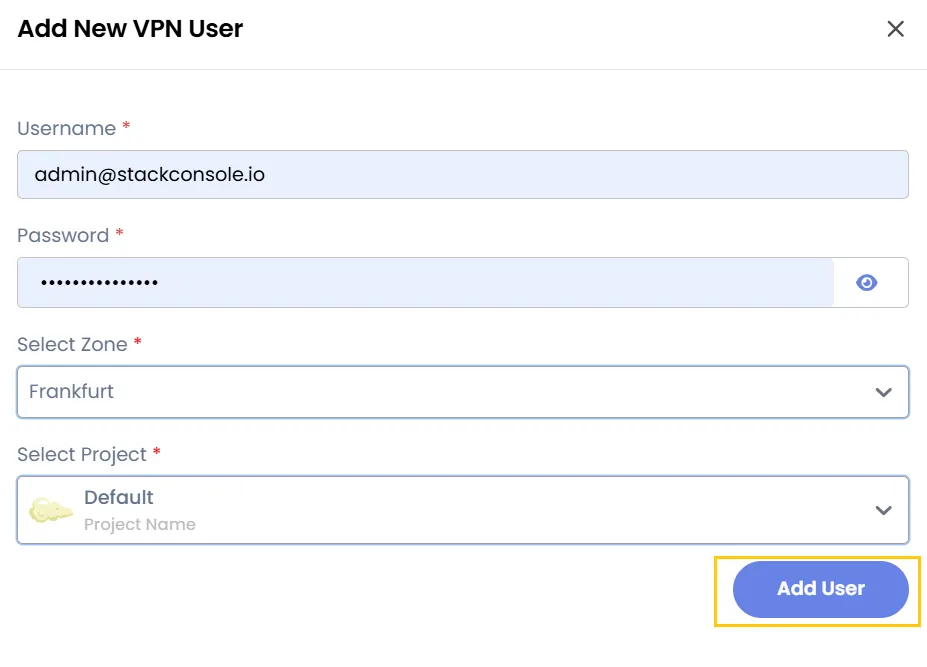
- Enter a Username and Password for the VPN user, then select the Project and Zone.
- Click on Add User to add the VPN user.
Conclusion
The VPN Users feature allows you to securely add and manage authenticated users for remote access to cloud resources, ensuring safe connectivity and controlled access within your projects.