VPN Customer Gateway
A VPN customer gateway describes your side of a site-to-site VPN: the on-premises VPN device and its IPsec settings. It is used to connect a UzCloud VPC with your private network.
- In the left-hand menu, under NETWORKING, click Networks, then open the VPN Customer Gateway tab.
- Click + Create New. The Add VPN Customer Gateway form opens.
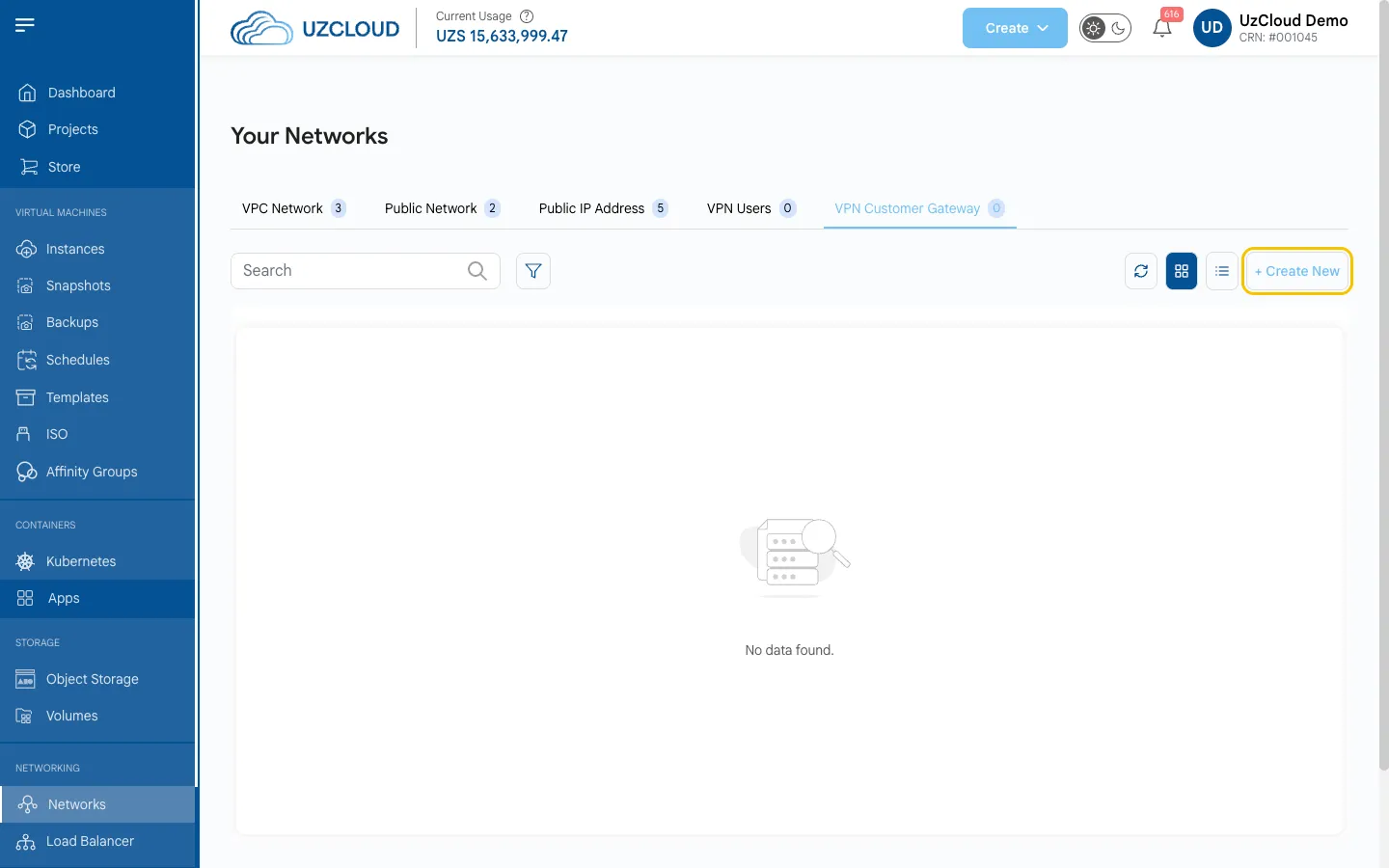
Main Settings
- Select Project — the project for the gateway.
- Select Zone — the zone (location) of the gateway.
- Name — a unique gateway name.
- CIDR List — the address ranges of your on-premises network, in CIDR format.
- Gateway — the public IP address of your VPN device (router or firewall).
- IPsec Preshared Key — the shared secret used to authenticate the VPN devices.
- IKE Lifetime — the lifetime of the IKE session in seconds (86400 by default).
- ESP Lifetime — the lifetime of the ESP session in seconds (3600 by default).
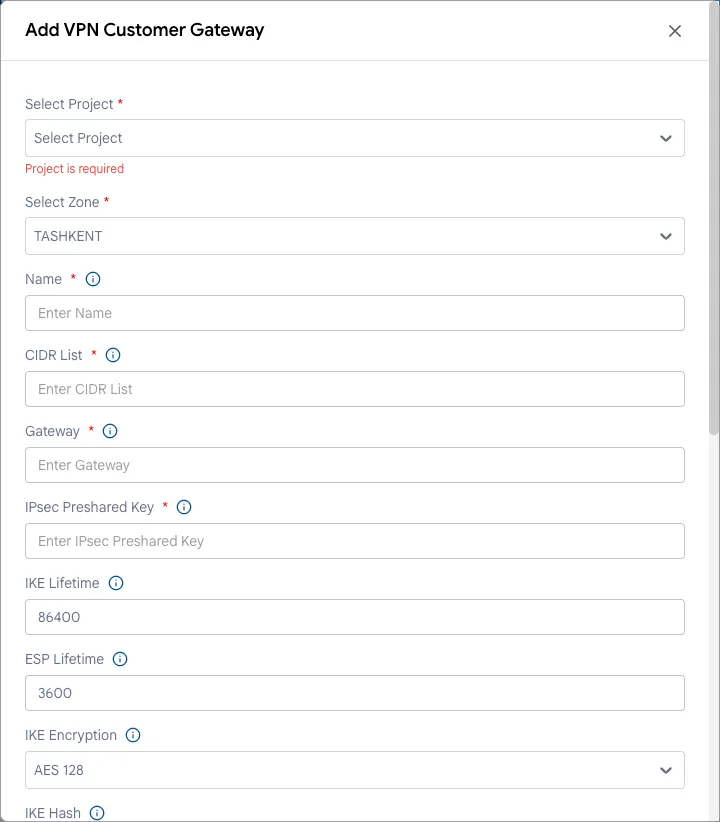
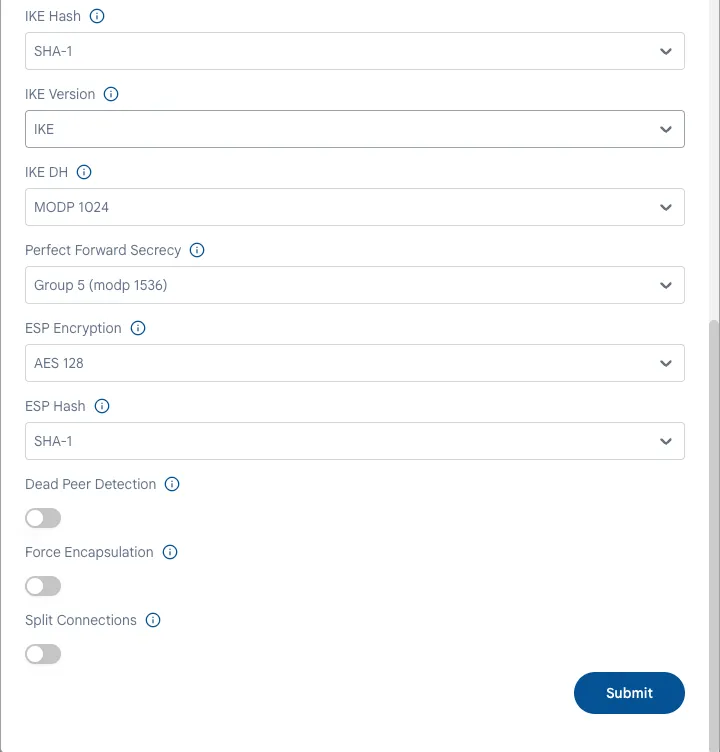
Encryption Settings
The values must match the settings of your VPN device.
- IKE Encryption and IKE Hash — the encryption and hash algorithms for the IKE phase (AES 128 and SHA-1 by default).
- IKE Version — the IKE protocol version.
- IKE DH — the Diffie-Hellman group for key exchange (MODP 1024 by default).
- Perfect Forward Secrecy — the DH group for PFS (Group 5 (modp 1536) by default).
- ESP Encryption and ESP Hash — the encryption and hash algorithms for ESP (AES 128 and SHA-1 by default).
- Dead Peer Detection — detects a lost connection and restores it.
- Force Encapsulation — forces UDP encapsulation of ESP packets so that the VPN works through NAT.
- Split Connections — creates a separate tunnel for each CIDR in the list.
- Click Submit.
Tip
Use stronger algorithms (for example, AES 256 and SHA-256) if your VPN device supports them.
After you create the gateway, select it when you create a VPN connection on the VPC page — see VPN Connections.
Conclusion
The VPN customer gateway enables secure connectivity between your on-premises infrastructure and a UzCloud VPC.