Add VPC Network
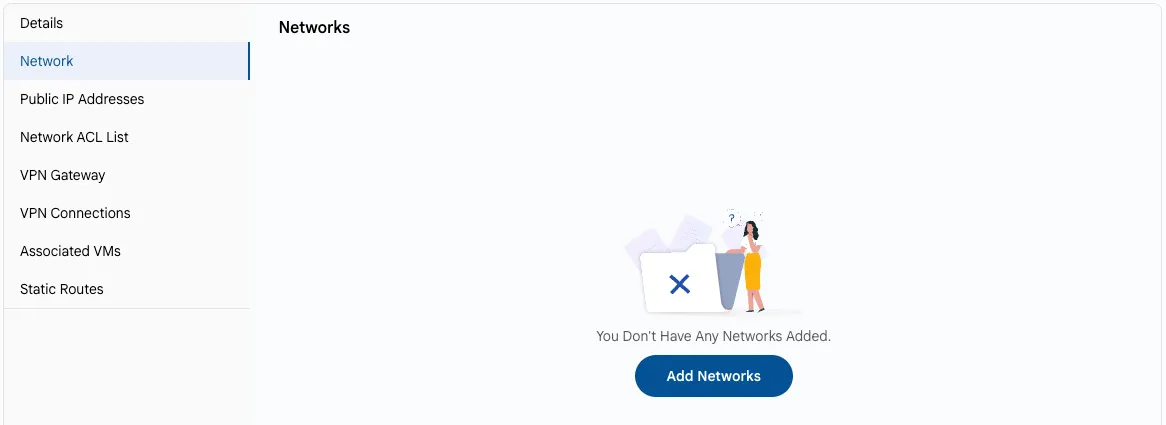
The Network tab lists the networks (tiers) created inside the VPC. VMs connect to these networks, and each network can have its own ACL.
- On the VPC page, open the Network tab and click Add Networks.
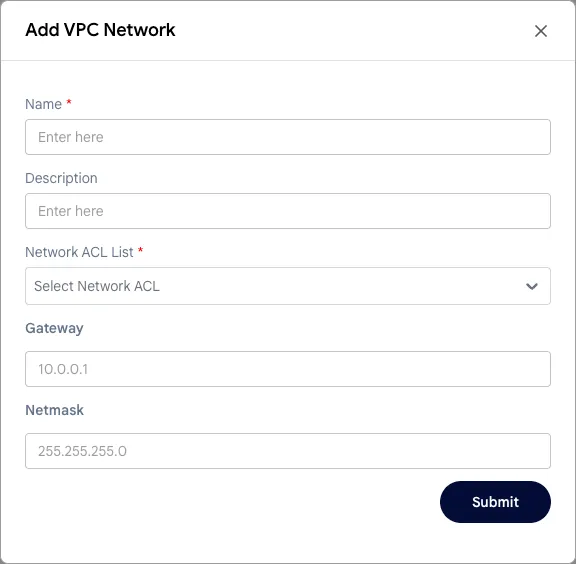
- Fill in the Add VPC Network form:
- Name — the network name.
- Description — a summary of the network’s purpose.
- Network ACL List — the ACL that controls inbound and outbound traffic of the network (for example,
default_allowordefault_deny). - Gateway — the network gateway (for example,
10.0.0.1). It must be inside the VPC address space. - Netmask — the network mask (for example,
255.255.255.0).
- Click Submit.
Conclusion
Adding networks to a VPC lets you split it into subnets with their own gateways and ACLs for better traffic control and organization.