Egress Rules
- An egress rule controls outbound network traffic from a source to a specified destination based on defined protocols and IP ranges.
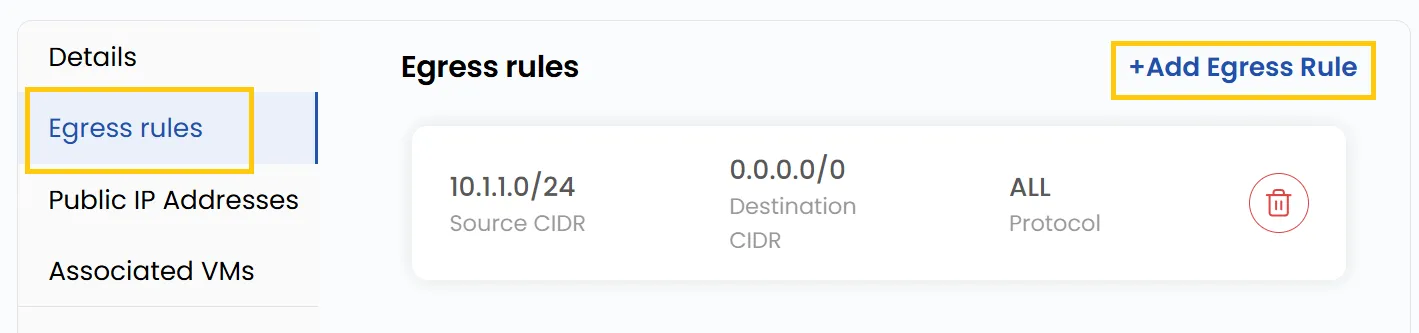
- In the Egress Rules tab, you can see all egress rules.
- To add egress rule, Click on Add Egress Rule this opens the rule configuration form.
Add New Egress Rules
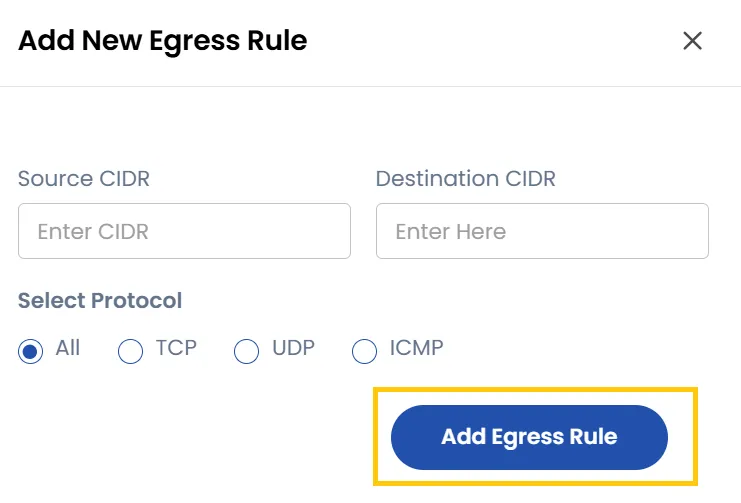
- Enter the Source CIDR and Destination CIDR.
- Choose protocol from TCP, UDP, ICMP, or you can select All based on the traffic type.
- Click on Add Egress Rule to add the new egress rule.
Conclusion
Egress Rules help control outbound traffic by defining allowed protocols, sources, and destinations. They provide better security and flexibility, ensuring that only the intended traffic leaves your network.