VPN Connections
A site-to-site VPN connection links your VPC with a remote network through a VPN customer gateway.
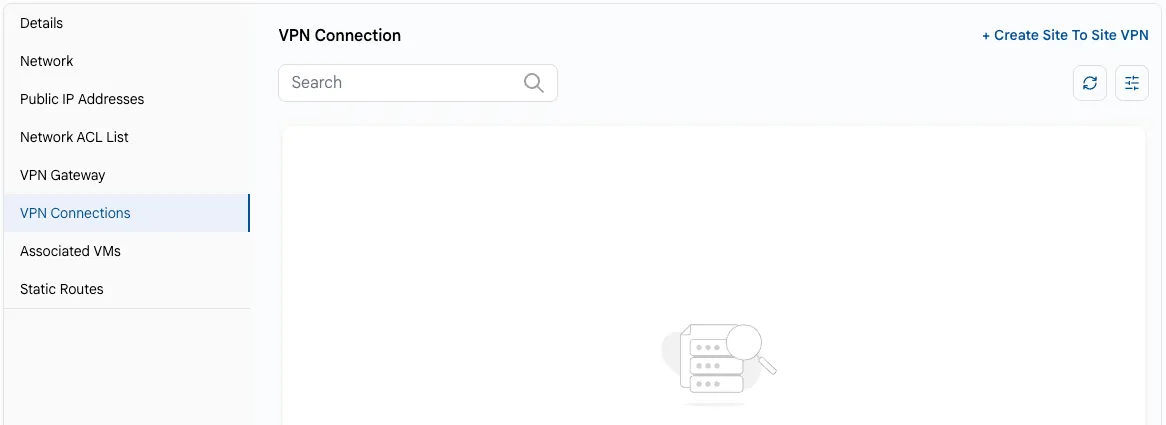
- On the VPC page, open the VPN Connections tab. It lists the VPN connections of the VPC.
- Click + Create Site To Site VPN.
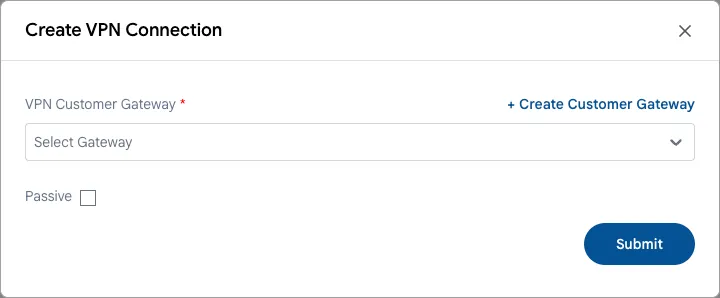
- In the Create VPN Connection window, select the VPN Customer Gateway or create a new one with + Create Customer Gateway.
- Select Passive if the connection should wait for the remote side to initiate it.
- Click Submit.
Conclusion
The VPN Connections tab lets you set up and manage secure site-to-site VPNs between your VPC and external networks.