VPN Customer Gateway
A VPN Customer Gateway is an essential component for establishing a secure VPN connection between your on-premises network and a cloud provider. In UzCloud, this allows secure communication between your private network and virtual private cloud (VPC). Follow this step-by-step guide to configure and add a VPN Customer Gateway in UzCloud.
- From the left-hand menu, click on the Networks tab.
- You will be redirected to the Networks page. Go to the VPN Customer Gateway tab.
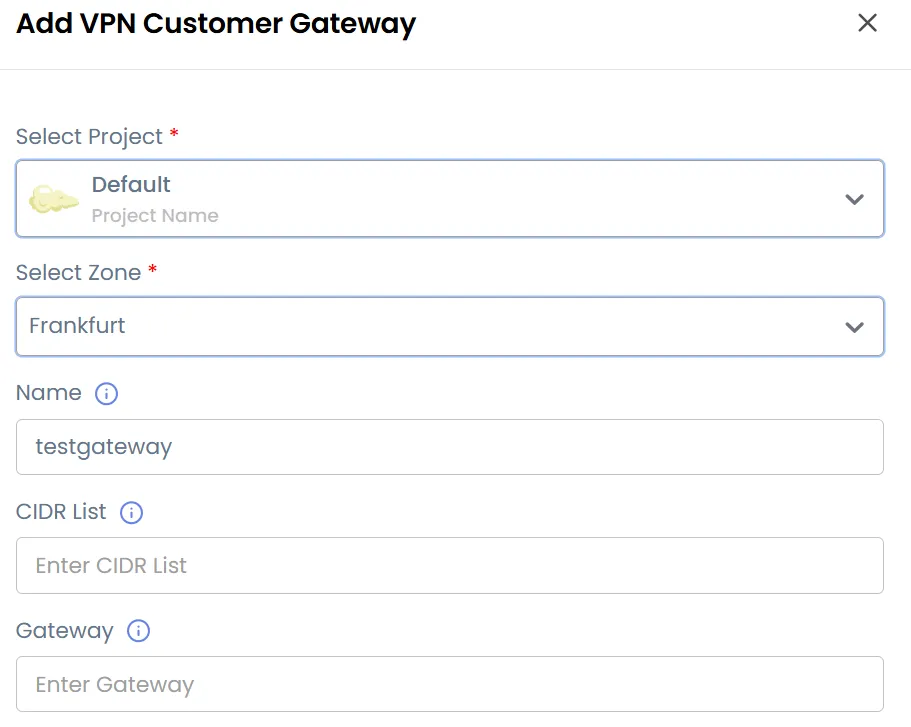
- Click on the plus (+) icon to add a new VPN Customer Gateway. A form will appear where you need to enter the configuration details.

- Select Project: Choose the project where the VPN Customer Gateway will be deployed.
- Select Zone: Pick the appropriate zone or region for your VPN gateway.
- Name: Provide a unique, identifiable name for the VPN Customer Gateway.
- CIDR List: Define the IP range (in CIDR format) allowed for communication between your network and the cloud.
- Gateway: Provide the public IP address of your on-premises VPN device (router or firewall).
Gateway Configurations
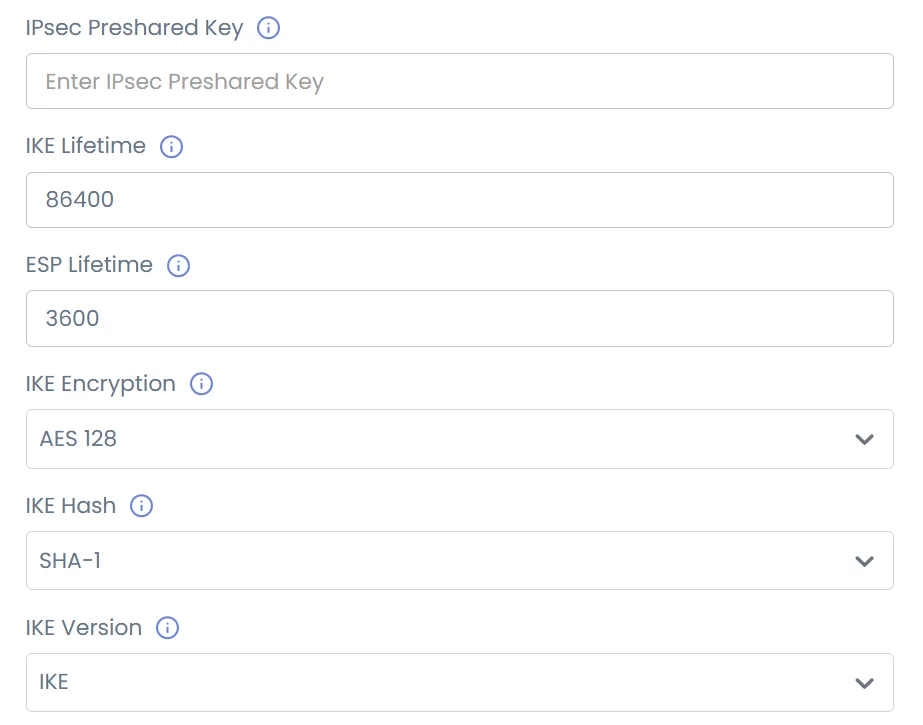
To establish a secure connection, configure the following IPsec and IKE (Internet Key Exchange) parameters.
- IPsec Pre-Shared Key: A shared secret used for authentication between VPN devices.
- IKE Lifetime: Define the duration (in seconds) for which an IKE session remains active (e.g., 28800 seconds).
- ESP Lifetime: Set the lifetime of the Encapsulating Security Payload (ESP) session.
- IKE Encryption Algorithm: Select the encryption method for the IKE phase (e.g., AES-256, AES-128).
- IKE Hash Algorithm: Choose the hashing algorithm for data integrity (e.g., SHA-256, SHA-512).
- IKE Version: Specify IKEv1 or IKEv2 (IKEv2 is recommended for better security).
- IKE DH (Diffie-Hellman Group): Select a DH group for key exchange security (e.g., Group 14, Group 19).
- Perfect Forward Secrecy (PFS): Enable PFS to ensure each key exchange is independent.
- ESP Encryption Algorithm: Choose the encryption method for ESP (e.g., AES-256).
- ESP Hash Algorithm: Select the hashing method for ESP integrity verification (e.g., SHA-256).
Enable Advanced Features (Optional)
UzCloud provides additional security and performance features that can be enabled by toggling advanced options.
- Dead Peer Detection (DPD): Monitors and automatically restores lost VPN connections.
- Force Encapsulation: Ensures VPN traffic passes through firewalls and NAT devices.
- Split Connections: Enables multiple VPN tunnels for better redundancy and performance.
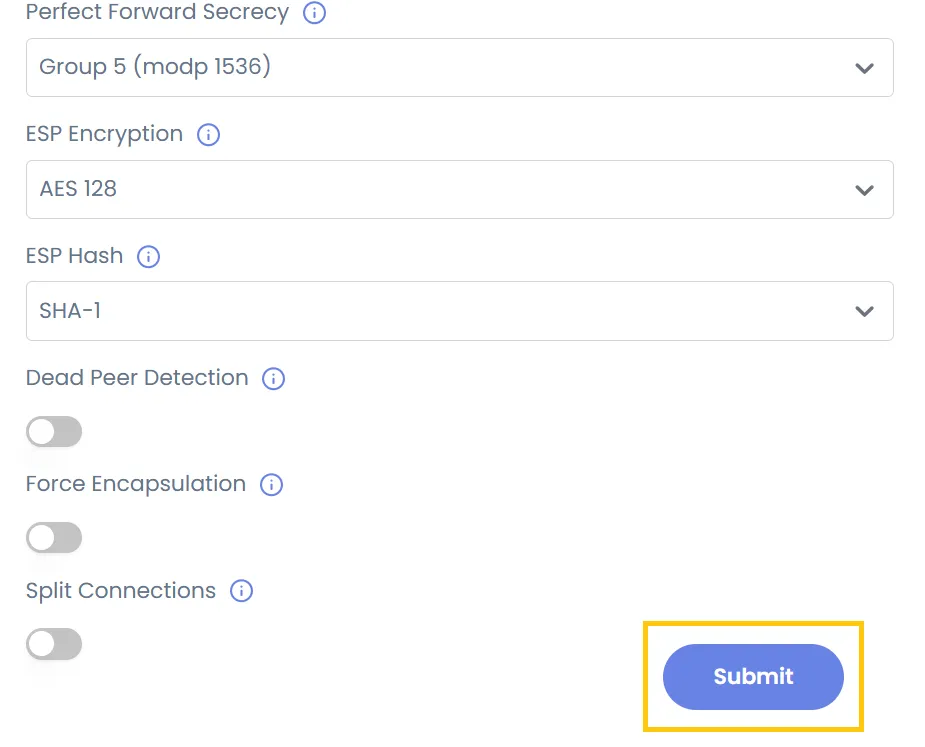
- Click on Submit and your VPN Customer Gateway will be created.
Conclusion
The VPN Customer Gateway enables secure connectivity between your on-premises infrastructure and the cloud VPC. With configurable encryption, authentication, and advanced features, it ensures reliable, private, and high-performance communication across hybrid environments.